
Productlane changelog
Live Chat
Test Tag
Test 2
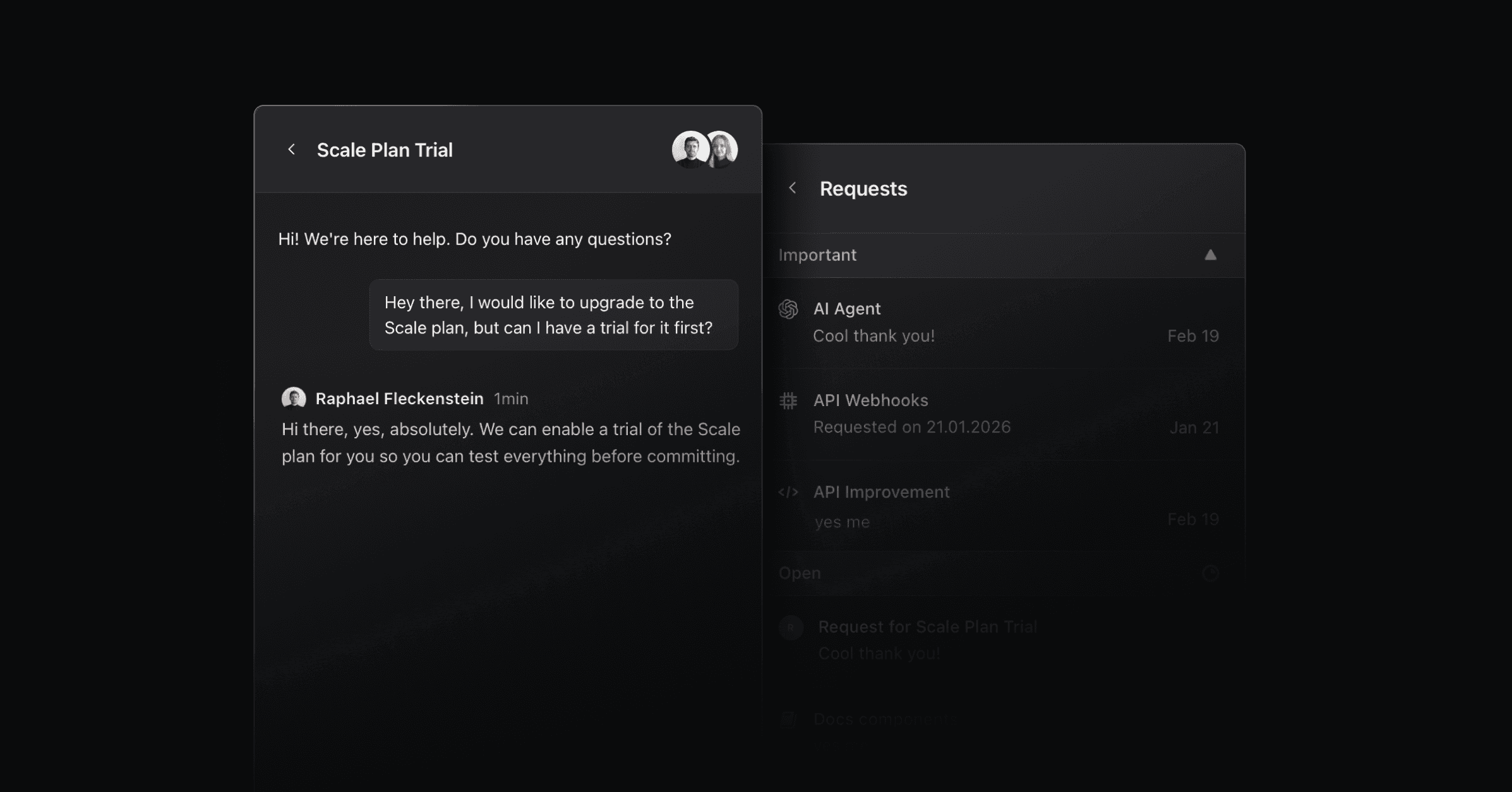
We’re excited to introduce Live Chat today. Talk to customers in real time, with unique capabilities: They won’t only see their past chats, but all associated Linear requests, so they can track and change their priority directly in the chat.
Live Chat also includes a powerful AI Agent that helps resolve support requests autonomously while waiting for a response. To activate it, open the widget settings and select Live Chat as the contact option.
Fluent transition from chat to Linear request
Customers can move from asking a question to submitting a request without leaving the widget. Once authenticated, they can see their conversations and requests directly in the chat, follow the progress of their issues, and mark them as important.
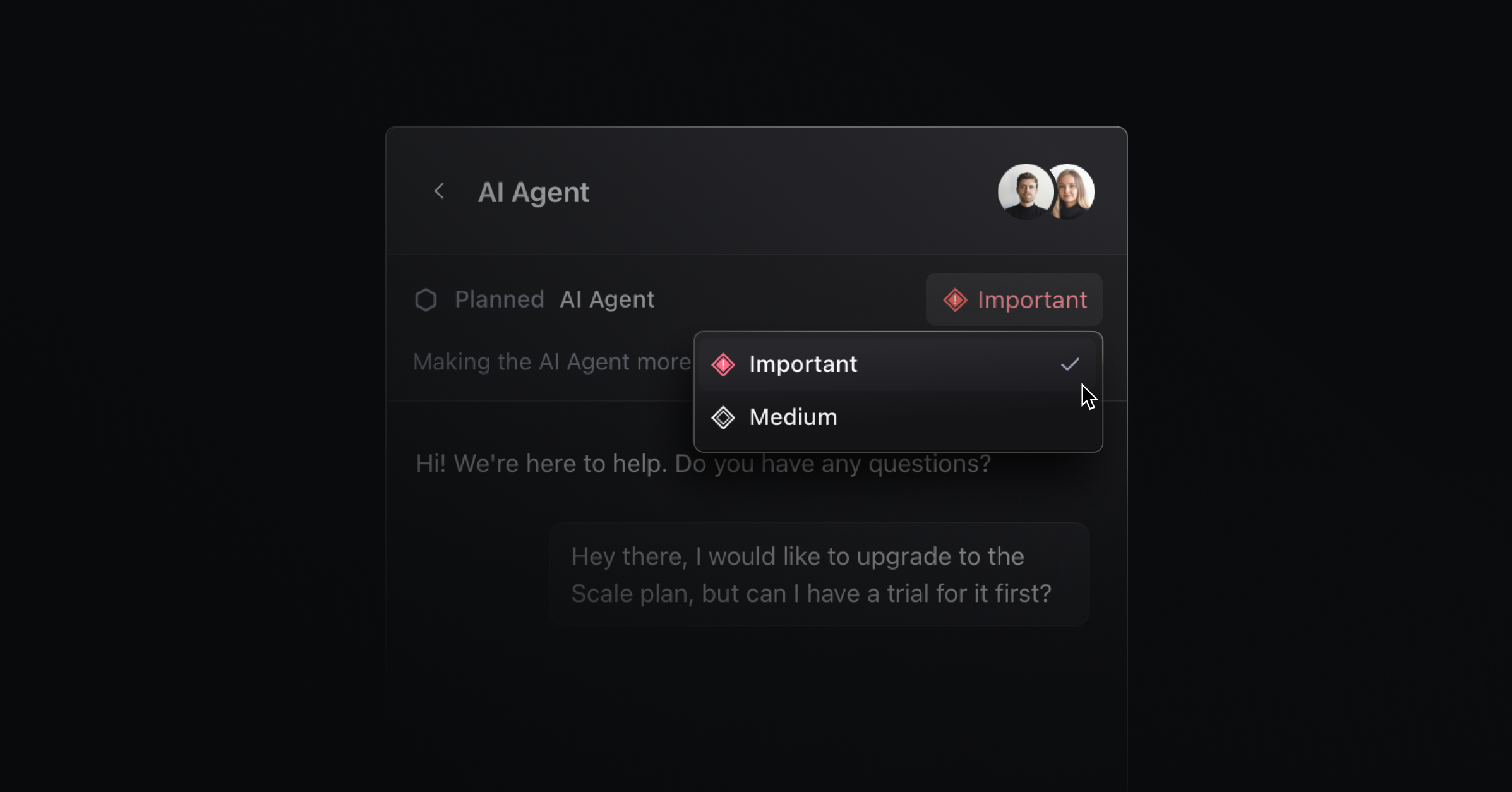
Integrated AI agent
The AI agent answers live chat messages instantly while your team is away. It understands the page the user is on and responds with relevant context. It is trained on your help center, roadmap, and changelog to answer the most common questions.
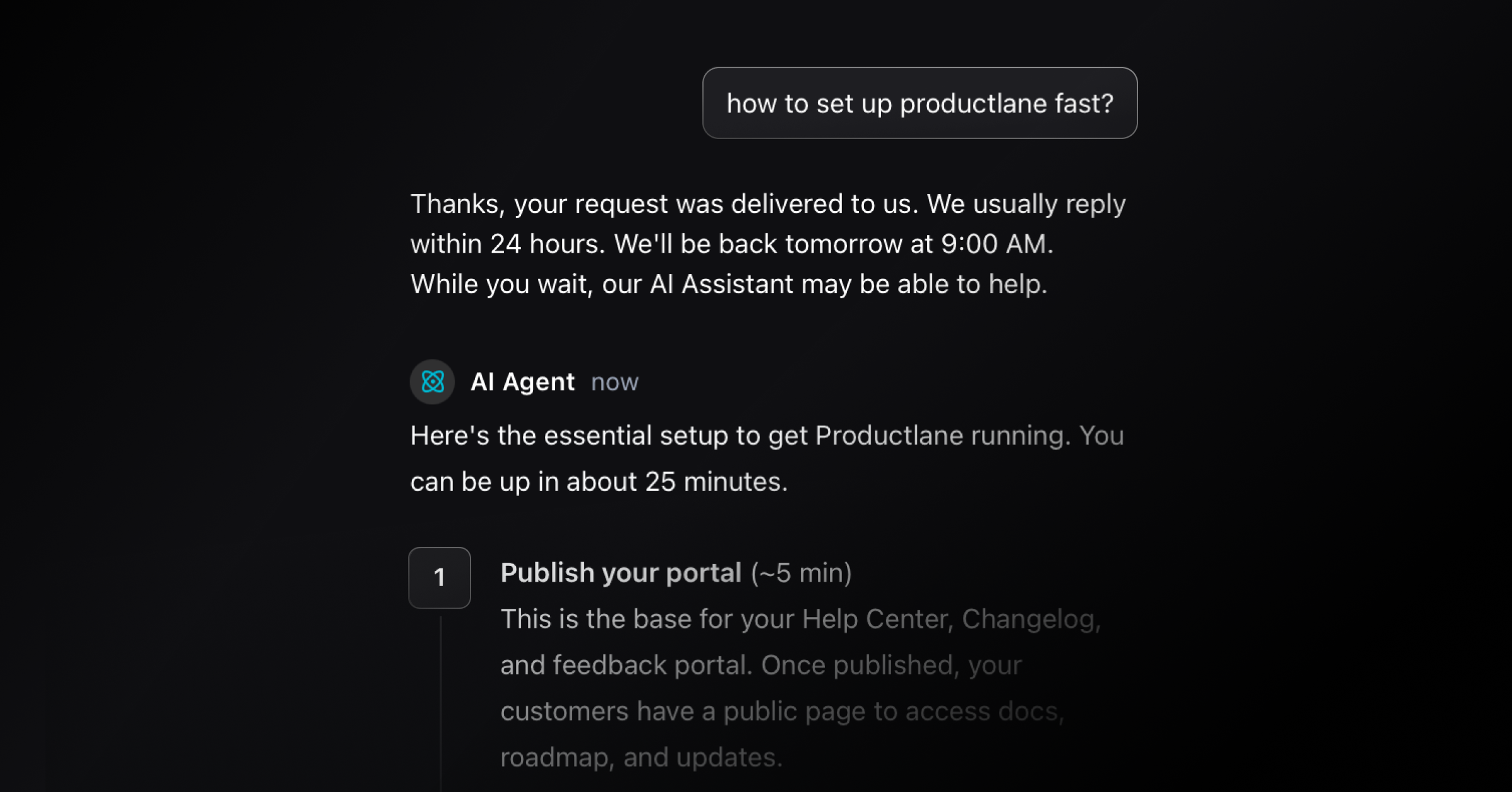
Live chat in the support portal
On the support portal, your customers find all their submitted requests and their current status. When clicking on a request, it now opens the Live Chat view in the widget with that conversation.
More improvements
AI Agent Feedback: Users can give thumbs-up or thumbs-down feedback on AI responses in the widget. Negative feedback opens a modal for detailed comments that are stored in the chat session.
Auto assignments: Automatically route new conversations to the right owner so you can reply faster. Go to
Settings → Assignmentsto configure.Knowledge base in API: Read and manage your knowledge base via API so you can connect docs to your build and review pipelines.
Redesigned widget settings: Use a guided, step-by-step flow to configure your widget faster and with fewer mistakes.
Live chat icon option: Select a dedicated icon for the live chat launcher so visitors instantly recognize how to get help.
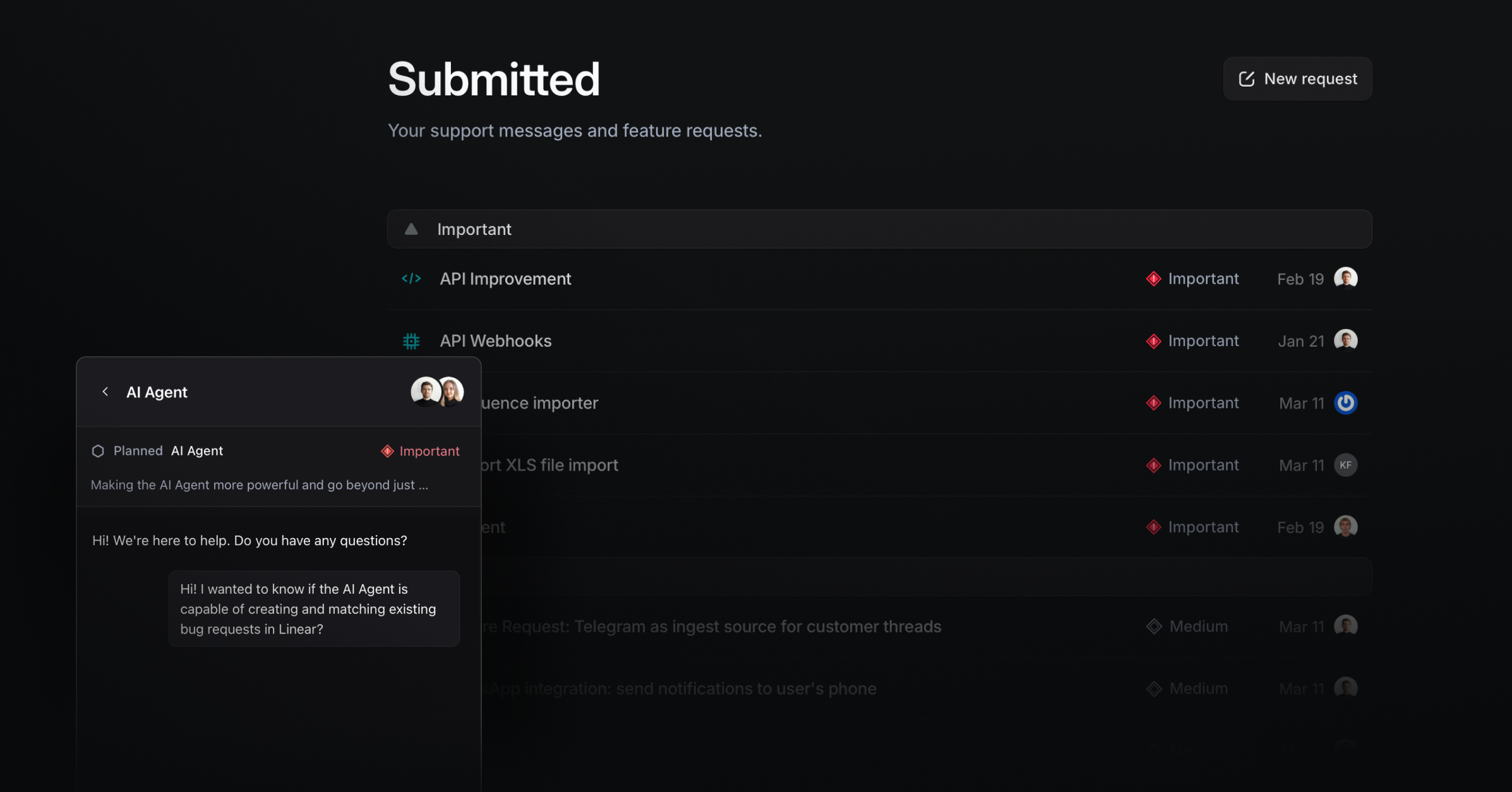
Priority dropdown in Support Portal: Let requesters and your team set priority directly in the portal list so triage is clear
Authenticated widget on the portal: Pass a signed identity to show personal history and prevent impersonation. Go to
Settings → Widgetto use it.Auto-send browser and console data: Capture browser version and console context from the widget to speed up debugging.
Support inbox inline screenshots: Paste or capture screenshots directly in the composer to share context quickly.
Private portal pages: Mark specific portal pages as private so you can share selectively without locking down the entire site. Go to
Settings → Portal → SSO.Slash commands in Support Inbox: Use quick commands to control everything without your hands leaving your keyboard.
Avatar selection for the widget: Select the visible avatars on the widget.
Support inbox
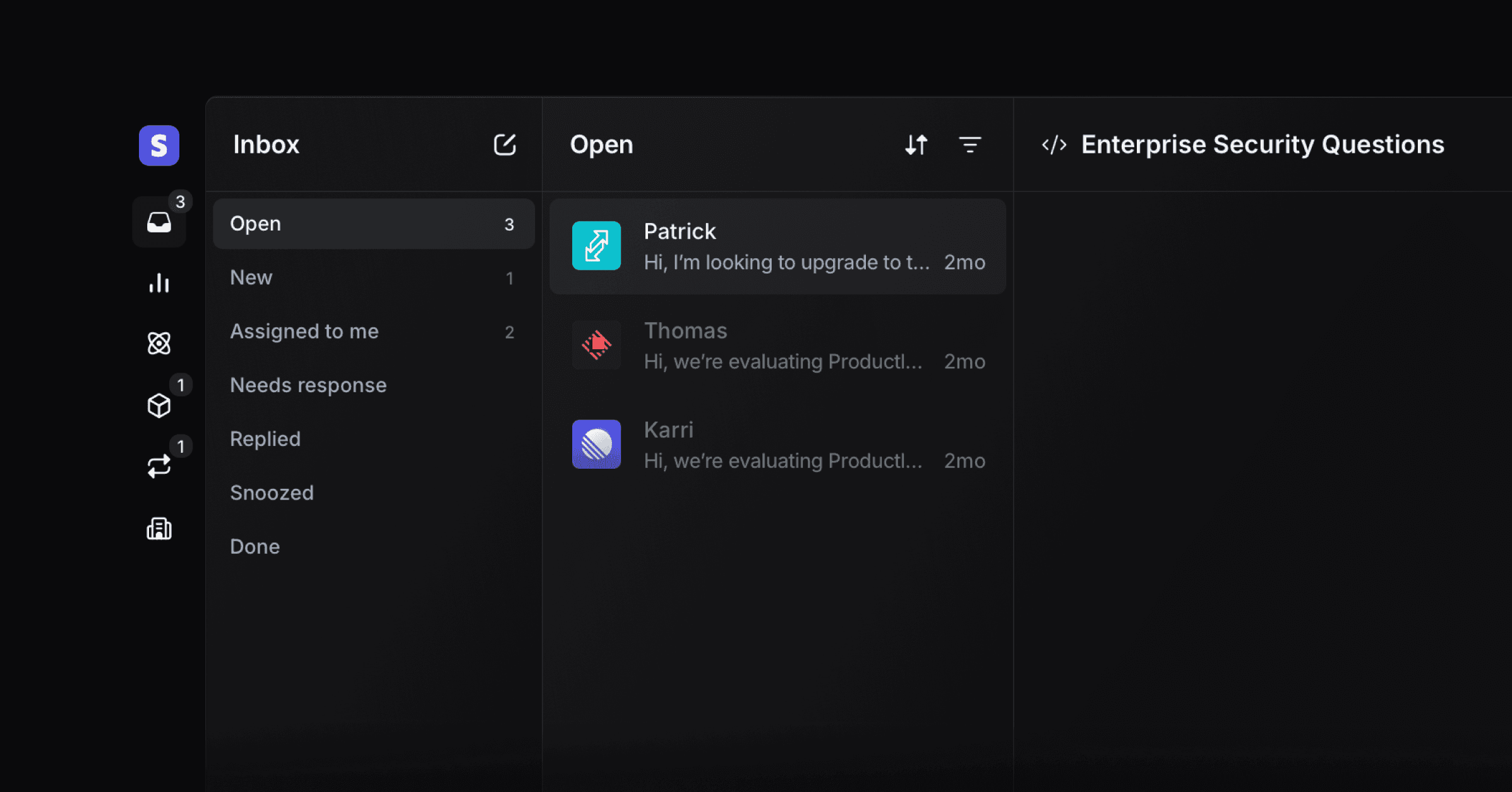
We rebuilt the Inbox from the ground up to help you triage support requests faster and stay on top of conversations. A three-panel layout keeps tabs, thread list, and full conversation visible so you get to inbox zero without feeling overwhelmed. The new Inbox is designed to handle large support volume with calm and focus.
Keyboard-first navigation
Move through the inbox without touching your mouse. Use ↑ and ↓ or 1,2,3.. to navigate threads, and Cmd + ↑/↓ to jump to the top or bottom. Tab and Shift + Tab to cycle through inbox tabs, X to toggle multi-select, and mark threads unread with Alt + click.
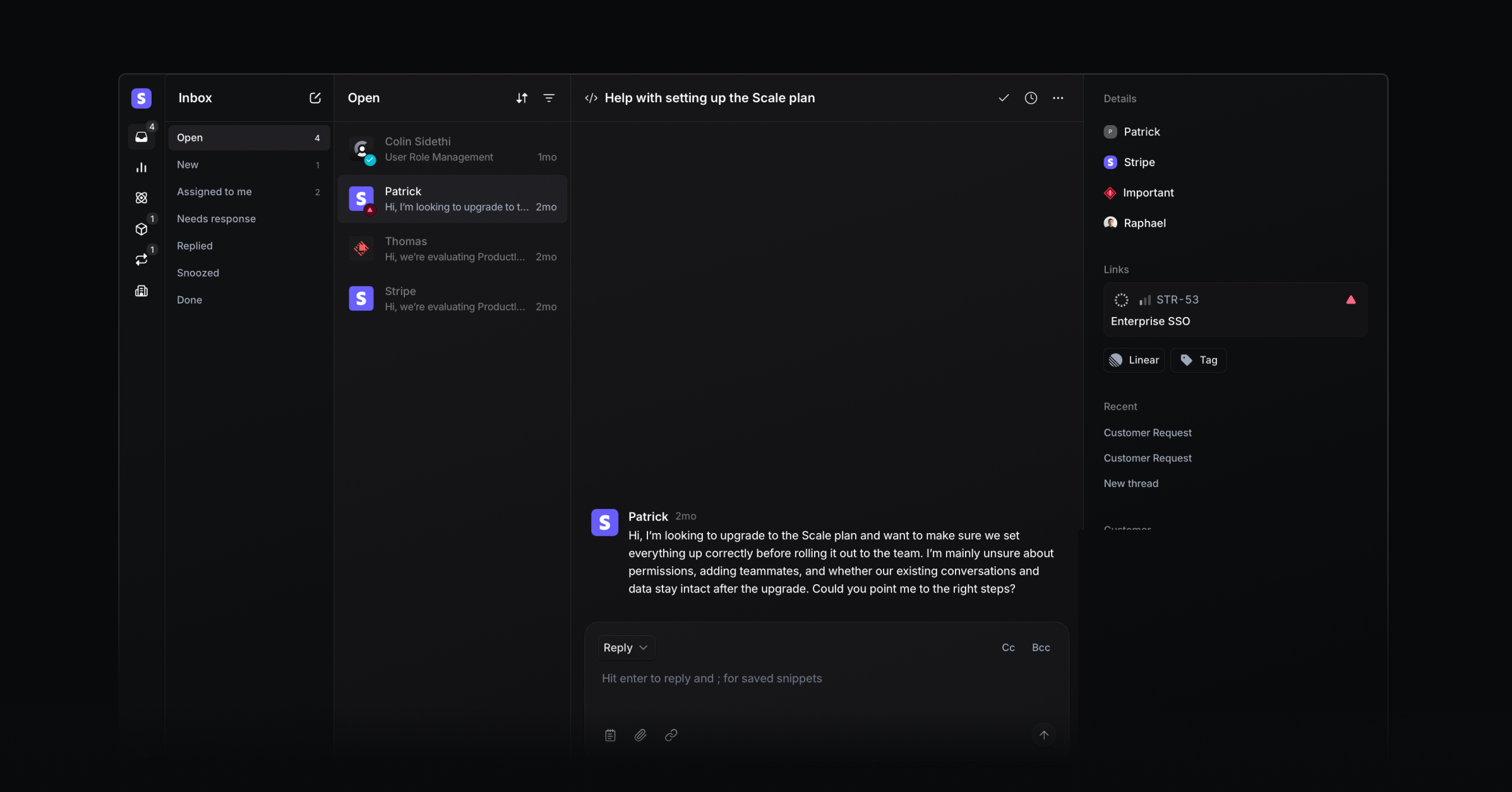
Focused conversation sidebar
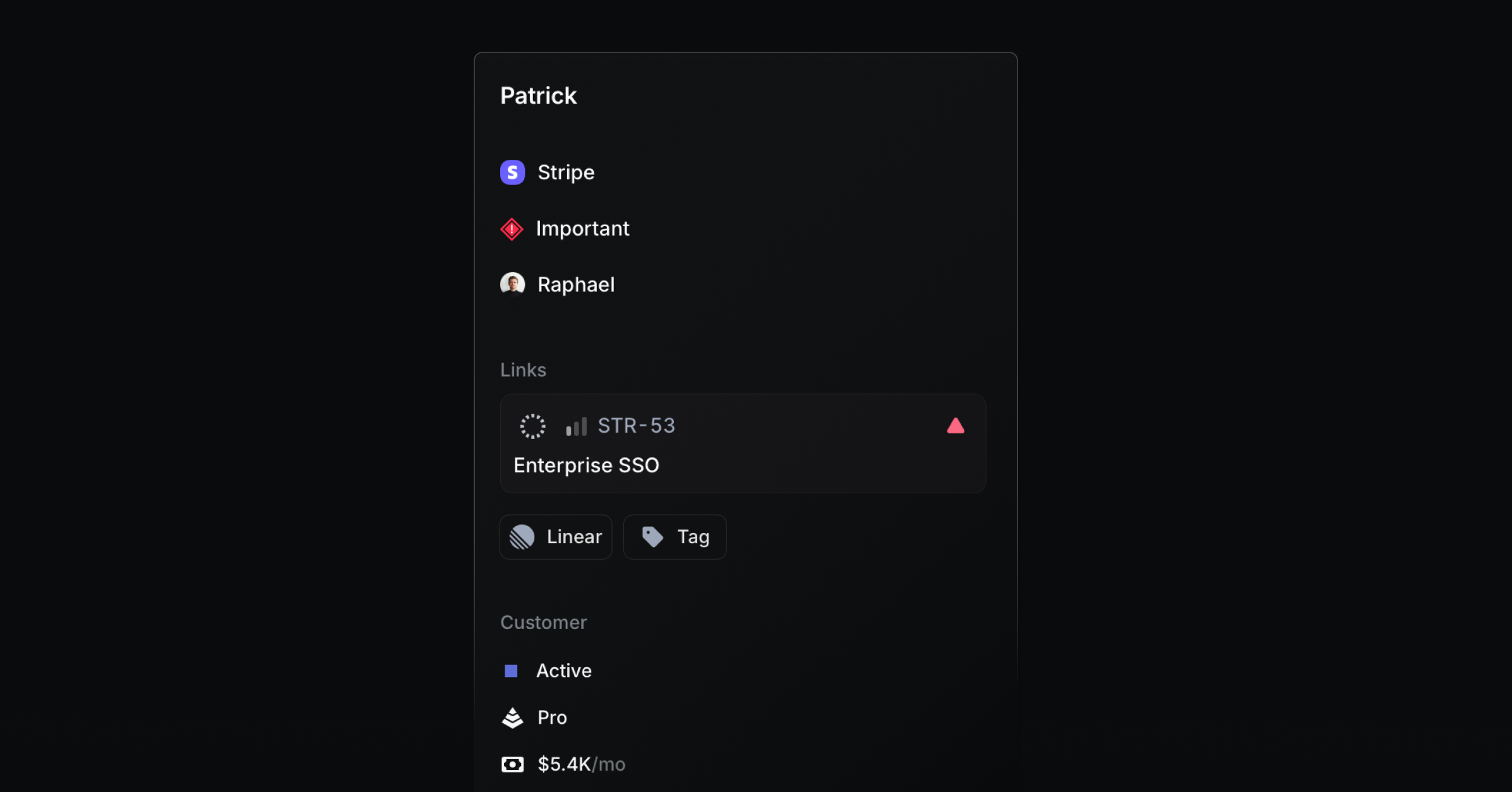
The right sidebar now highlights what helps you respond more clearly. The person and company selector is now combined, assignee and priority are added, and the Project and issue selection is now more visible and available in a single dropdown, so nothing stands in your way when communicating with customers.
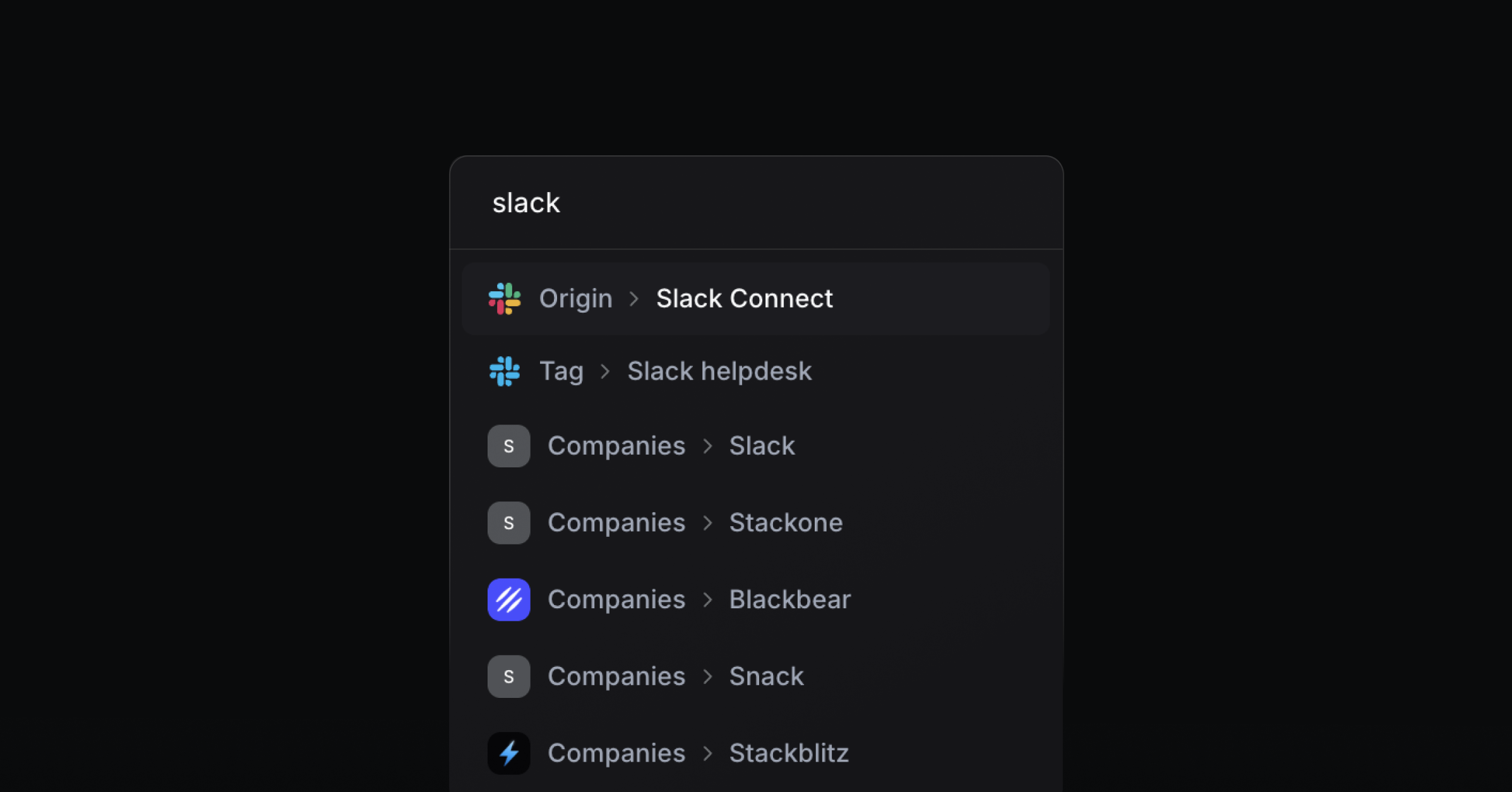
Instant filter search
The filter dropdown now directly searches through all potential filter results. Start typing to search all results at once. They are grouped by category, and you can toggle filters off directly from the search results.
Email forwarding
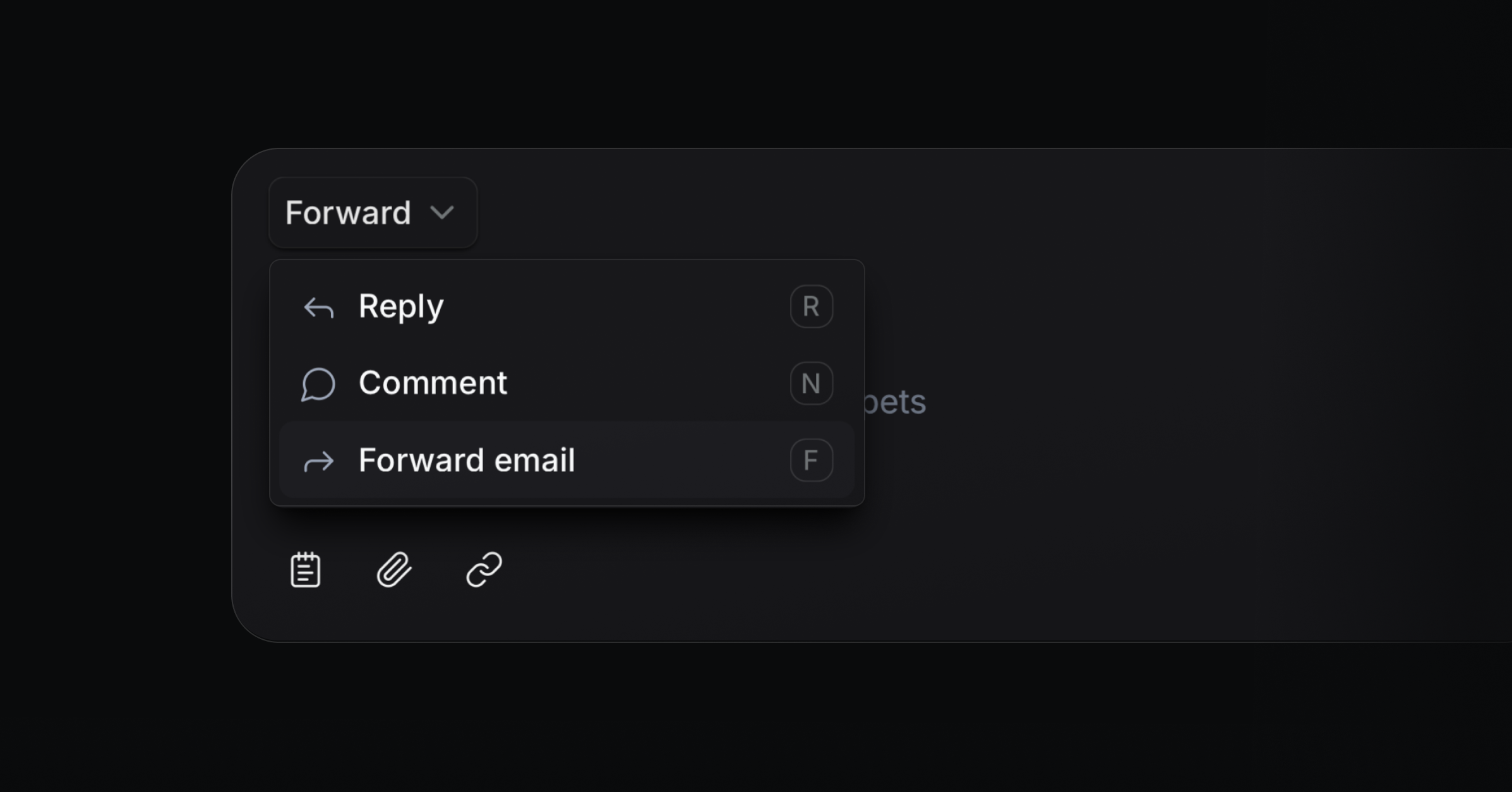
You can now forward your emails. Just press F in your inbox to quickly add the forwarding address and create a new thread.
JWT-secured Widget
Protect conversations that start in your widget with signed JSON Web Tokens. You can verify a user’s identity, prevent spoofed emails, and set token expirations so only real users can create messages. Enable it in Settings → Widget.
Context-aware AI Agent in the widget
Pass dynamic context to the AI Agent in the widget for more precise answers. The assistant now considers the page a user is on, so if they ask, „What can I do here?“, the AI agent can see on which page the user is and what they are likely trying to do.
Improvements and fixes
Docs: Clarified docs structure and fixed broken references for quicker answers
Custom project status: The project status is now synced with the real Linear status instead of the status group.
Blocklist: Blocks all new requests from all sources, like the portal
Slack: Emoji support for Slack
Editor: Made the editor translatable for localized UI copy
Notifications: Verified Outlook rendering for Changelog broadcasts
Portal: Blocked email senders now also apply to Portal and Widget
Settings: Added option to attach a link to the Public beta toggle
Settings: Upgraded General and User settings pages for clarity and speed
Bug: Fixed project publishing that could silently fail
Bug: You can edit a contact’s name without errors
Changelog: Fixed dark mode rendering for broadcasts in Spark mail client
Slack: Improved Slack formatting for emails shared to channels
Slack: Cleaned up Slack message formatting for consistency
Widget: Fixed Safari iframe border rendering
Email and Slack broadcasts
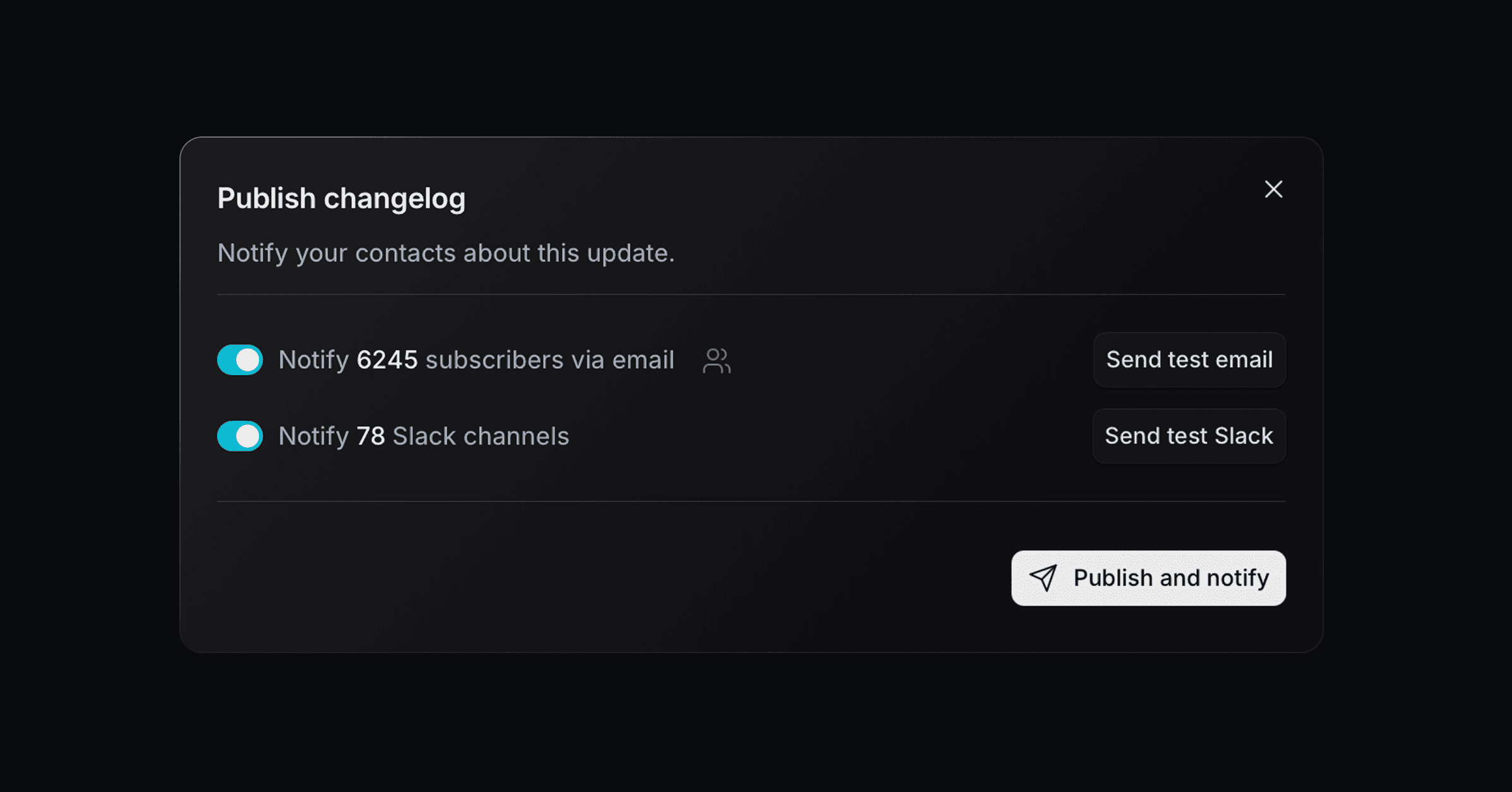
We’re excited to launch a major new feature this week. Email and Slack broadcasts help you follow up on support requests at scale and share Changelog updates with beautiful formatting.
Slack broadcast
Send changelog updates to all customer Slack Connect channels where the Productlane Slackbot is installed for a more personal way to stay in touch with customers. Together with the AI changelog generation, this is now the fastest way from closing a Linear issue to informing customers.
Email broadcast
Send emails directly from Productlane when updating an issue, project, or publishing a Changelog. Notify everyone who provided feedback or upvoted, or email the entire workspace. Emails are sent from your connected support address, and users can unsubscribe from broadcasts at any time. Just start by clicking Publish on the Changelog or Send update on project and issue details.
Opus 4.6 upgrade for the support agent
We upgraded our support agents’ model to Opus 4.6 to deliver more consistent responses, interpret detailed customer queries more accurately, synthesize longer conversation histories, and handle multi-stage problem-solving better. It should also make the chat significantly faster.
Improvements and fixes
Feature: Office hours for live chat
Interface: Widget and Settings UI improvements for faster navigation
Live Chat: Auto-email live chat messages to provide transcripts to participants
Performance: Chat responsiveness and shortcut improvements
Performance: Made Linear customer request creation more reliable
Slack: Inline images not showing in Slack now render correctly
Bug: Auto-created issues have correct titles derived from the source context
Bug: Issue with message replying no longer blocks sending responses
Bug: Team requests on support portal now appear for all teams as expected
Improvement: Improved Slack message delivery to avoid duplicate posts
Bug: Widget profile images blocked by CORS now load correctly
Bug: Wrong preview text on inbox shows accurate message snippets
Interface: Widget shrinking animation corrected for smooth transitions
Notifications: Widget notification behavior fixed for accurate unread indicators
Settings: AI settings fully disable related features when turned off
Cursor integration
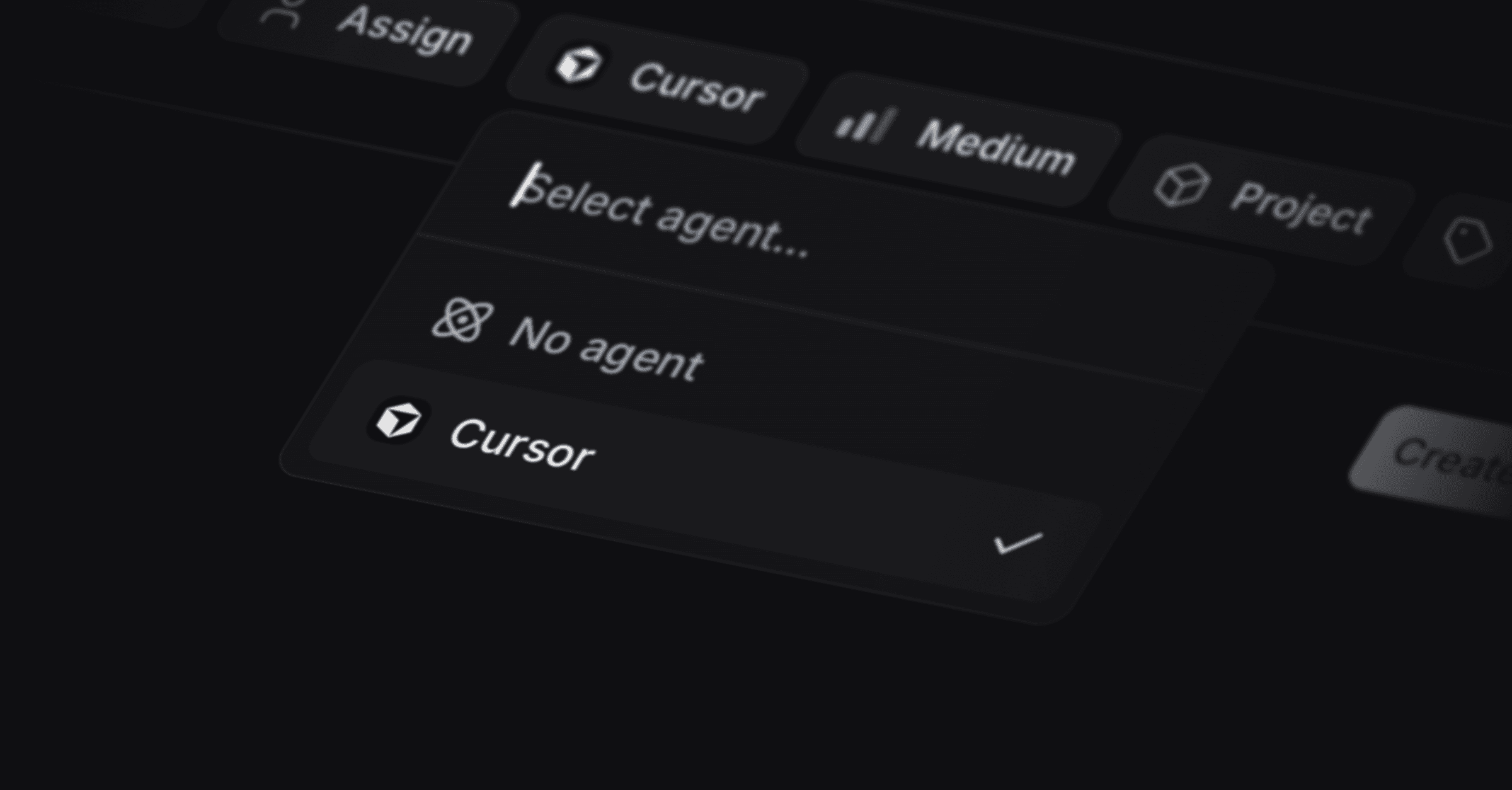
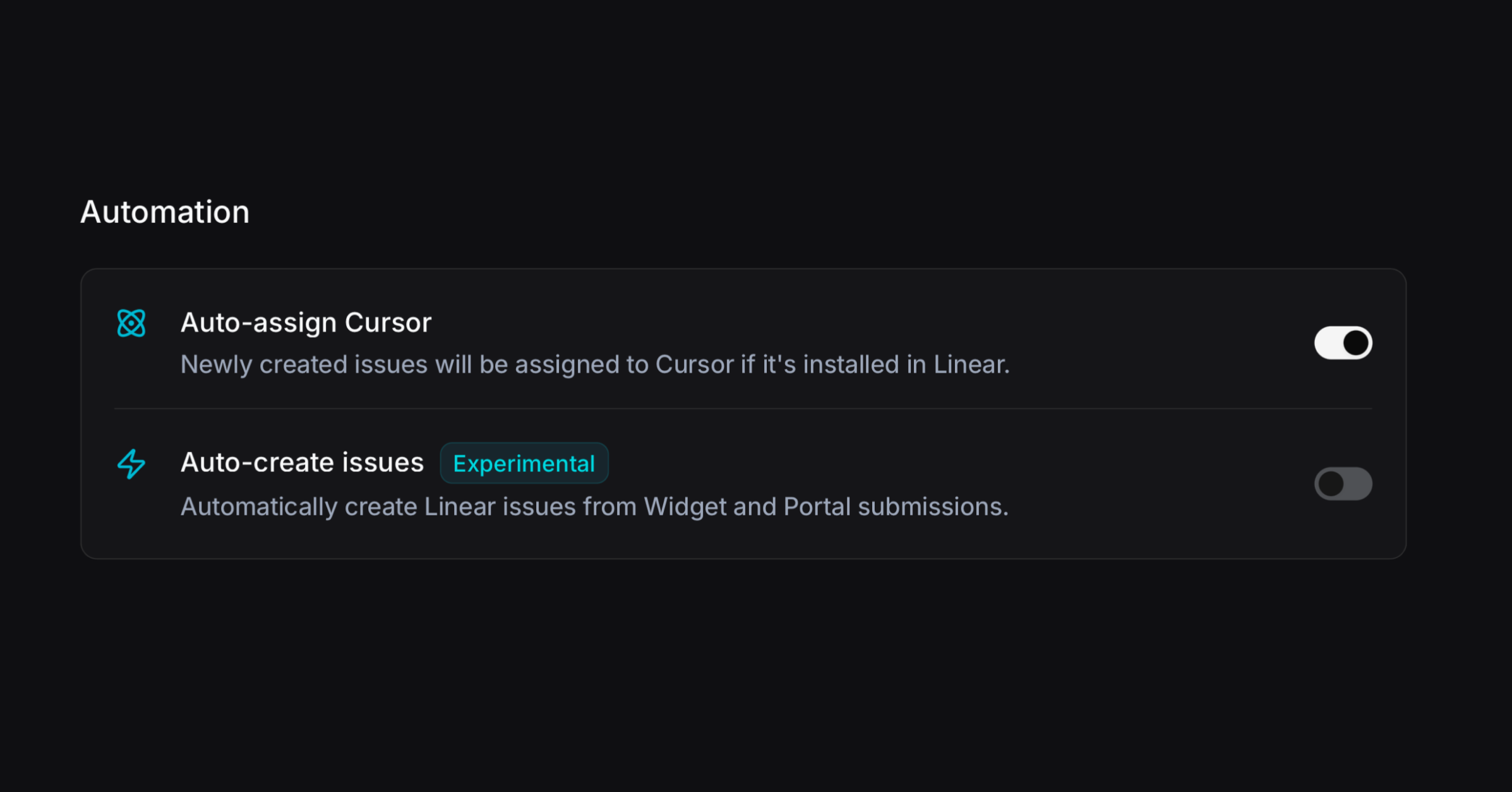
We’re excited to launch our Cursor integration. When a customer writes through the Live Chat or portal, Productlane now auto-creates a Linear issue and assigns it to Cursor. This gets you a pull request already waiting to be merged as soon as you get back to a customer.
Go to Settings → Linear and turn on Auto-assign Cursor. You can go one step further and activate that every message from the portal and widget auto-creates a Linear issue. We recommend this only for smaller teams with lower support volume.
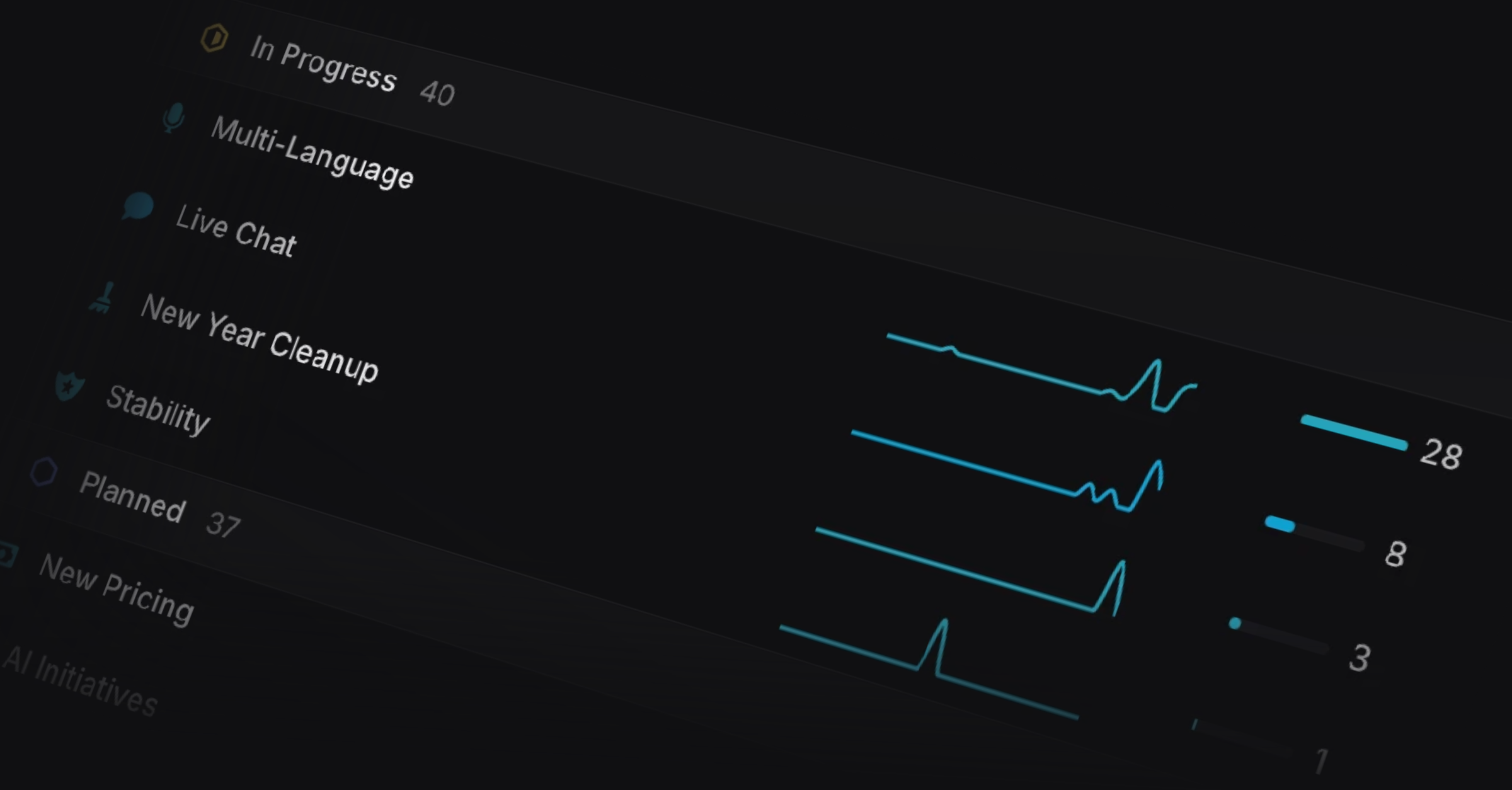
Customer Request Reporting
You can now view customer requests for Linear projects and issues over time, to see which requests come up every week versus what spiked recently. This even works for customer requests not created in Productlane, just hit CMD+K → Sync Linear to bring them all over.
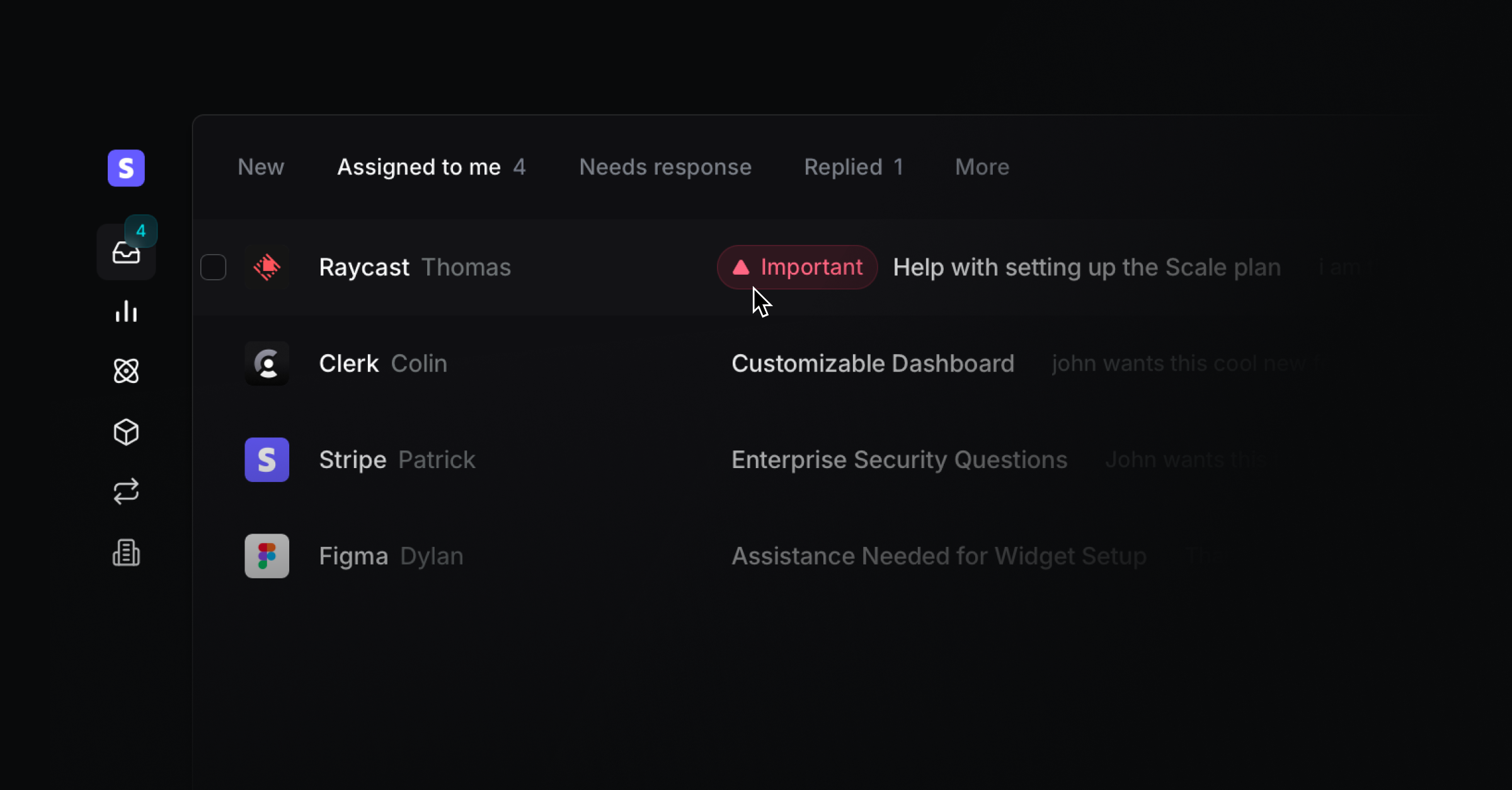
Improved support inbox
We improved the readability and flow of the support inbox. You can now spot urgent or overdue conversations faster, and view the most recently completed Linear issue title immediately to help you follow up. We removed the closed loop tab and moved those conversations into the other inboxes, and we changed the “All” tab into “Replied” to help you spot waiting conversations faster.
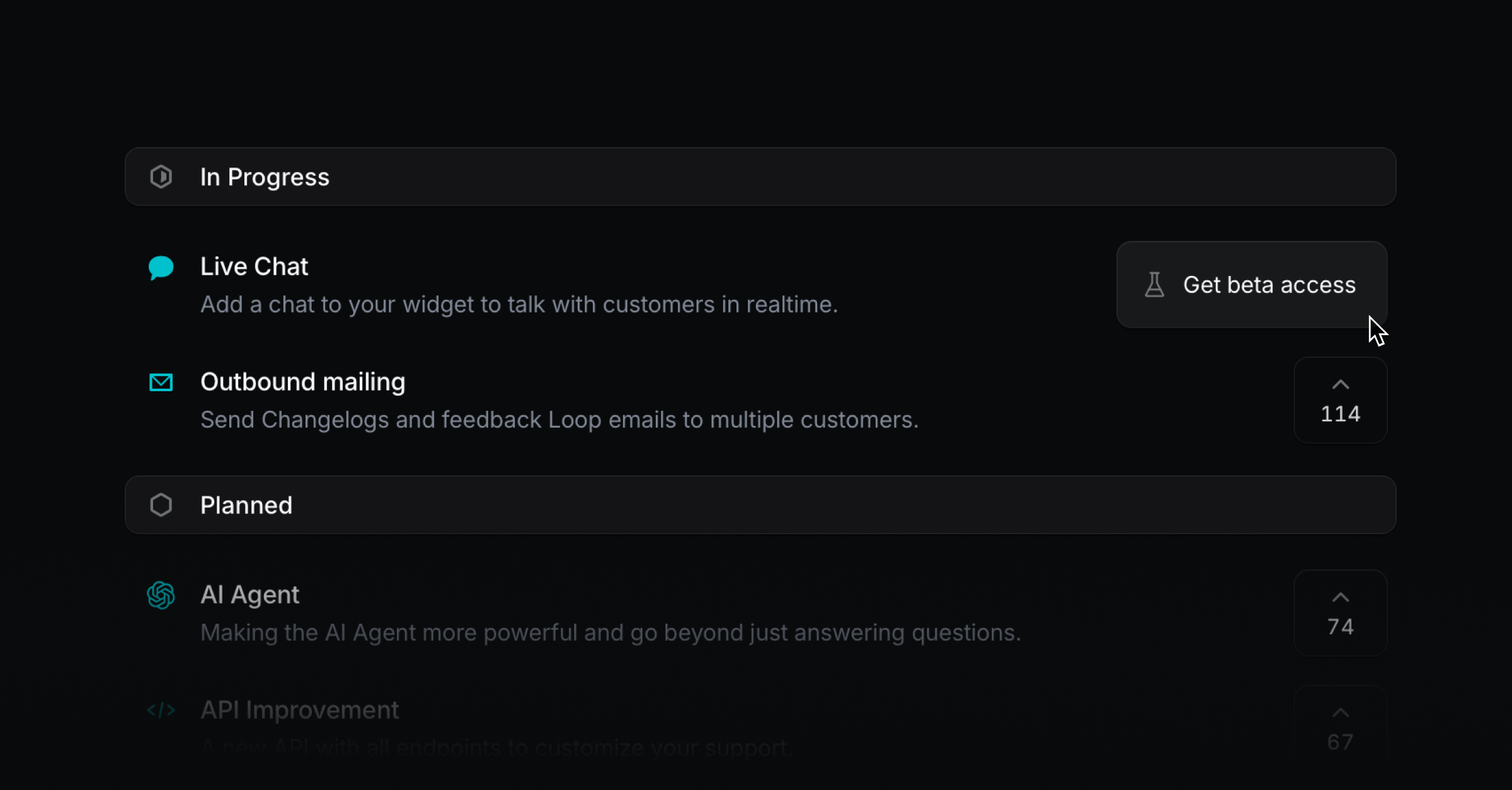
Feedback portal beta status
You can now turn the upvote button on your feedback portal into a “Get beta access” button so customers can request access easily. Clicking it creates a message from that user that you can answer manually or automate via the API. Just open a Linear project in Productlane and press the “Beta” switch to make that button appear.
Upvote context
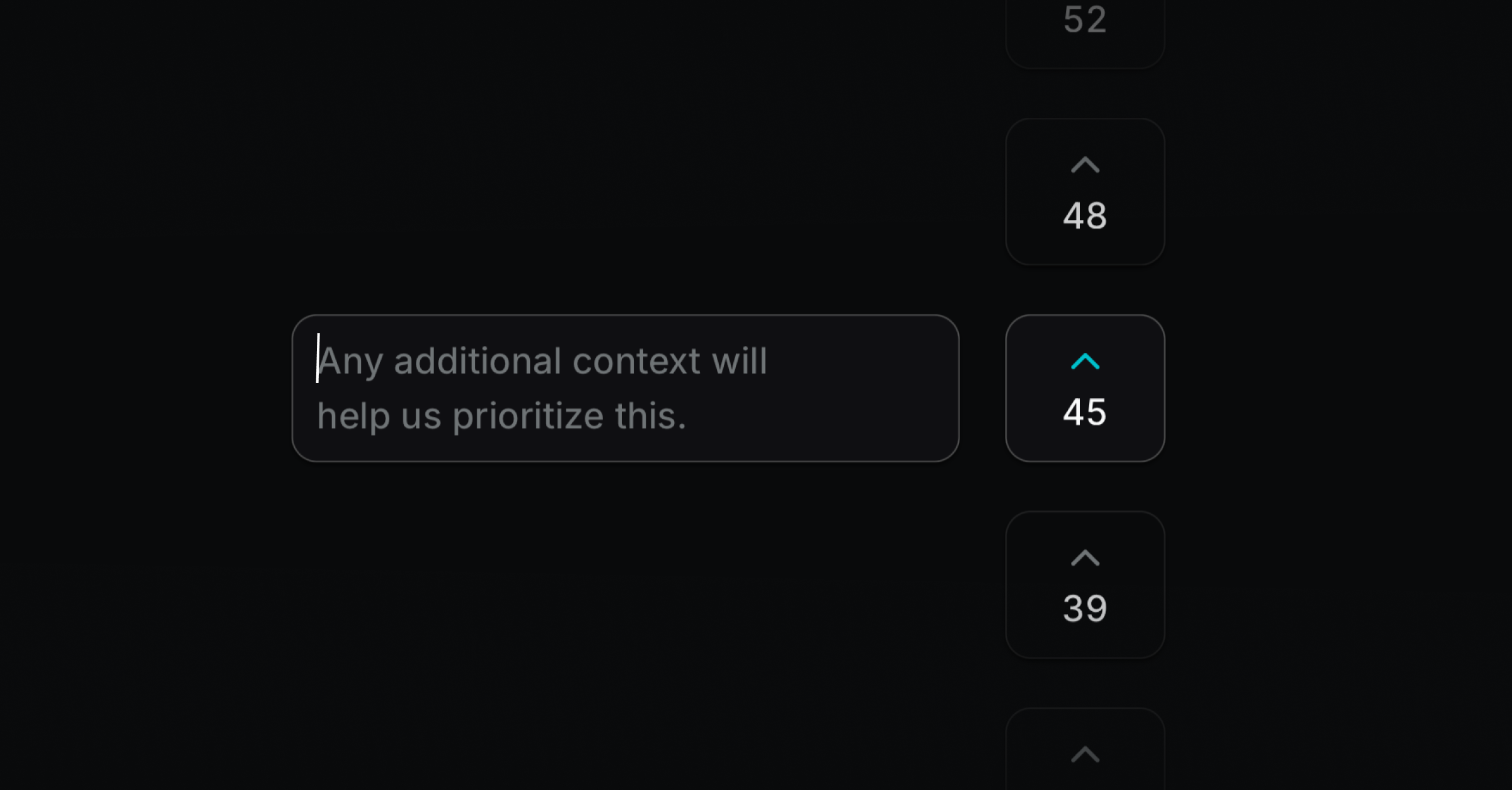
Written feedback is more valuable than a simple upvote. After users upvote on the feedback portal, they now see an input field to add context. We also made the portal animations feel smoother.
Email blocklist
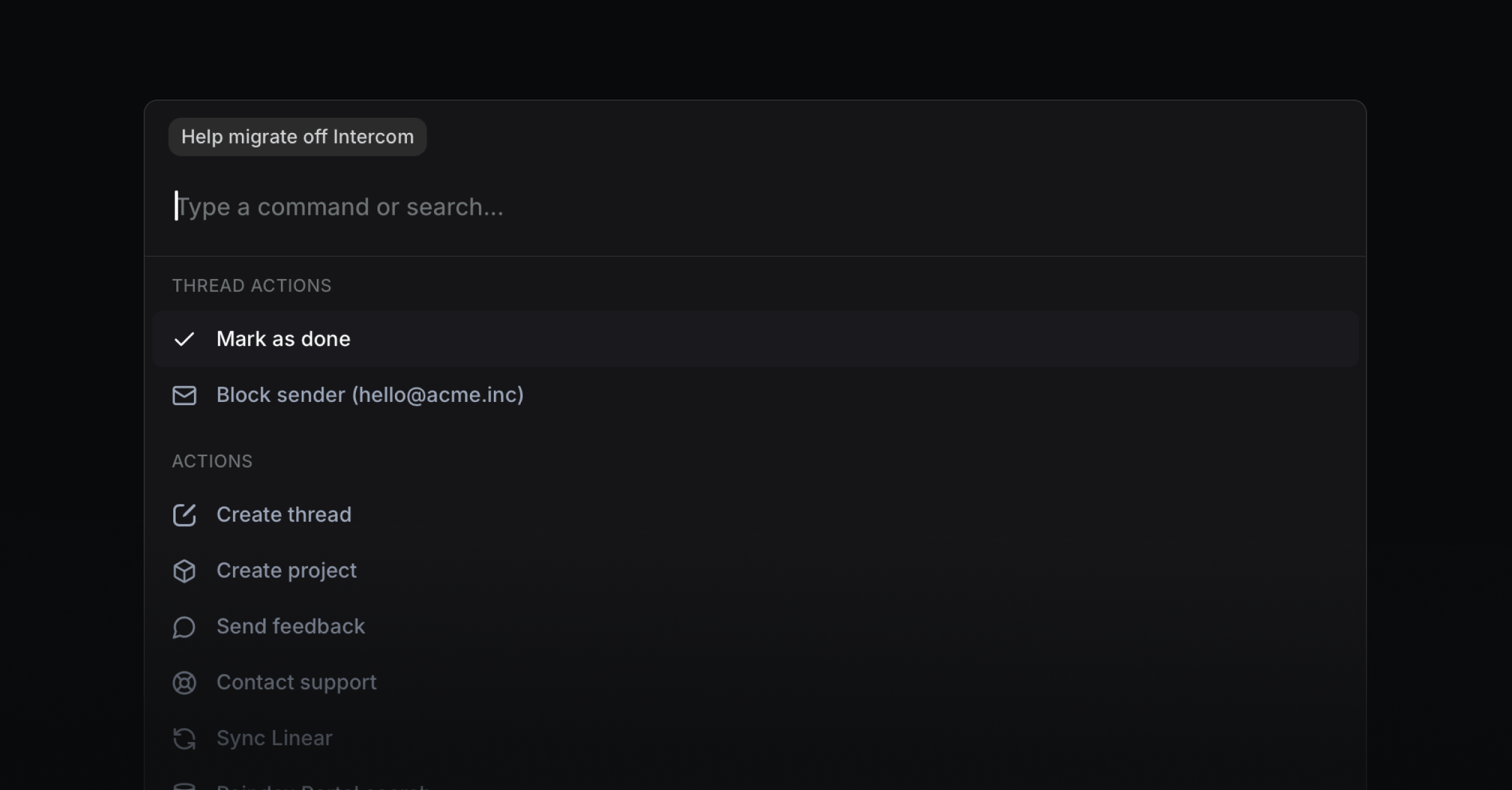
You can now use CMD K on a conversation to block a user or mark a thread as done. Go to Settings → Shared email to manage the email blocklist.
Changelog and Docs versioning
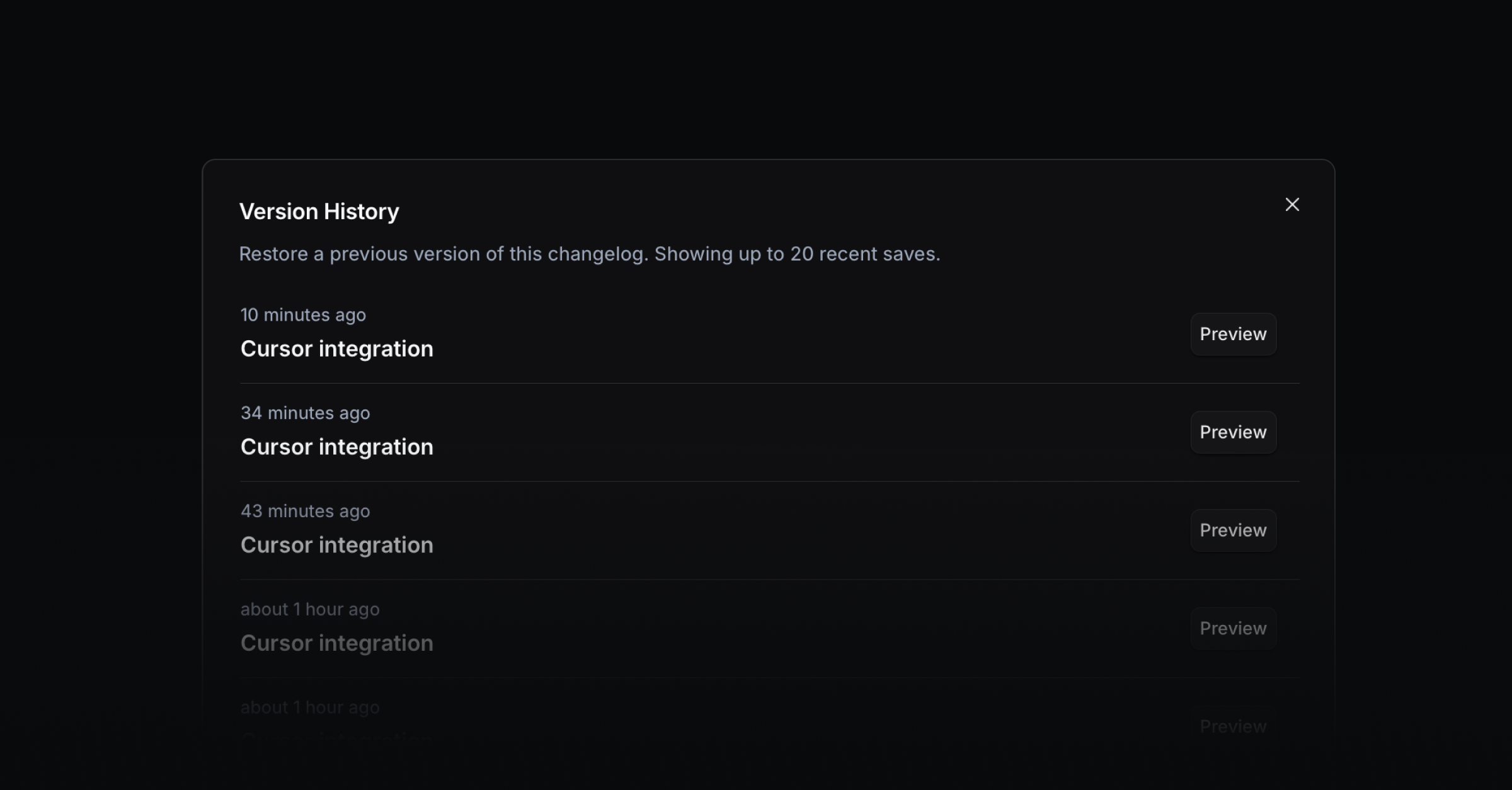
Recover earlier drafts of Changelog or help center entries with version history. Just use the three-dot menu in the top right to view auto-saved versions and restore one.
Multi-Language
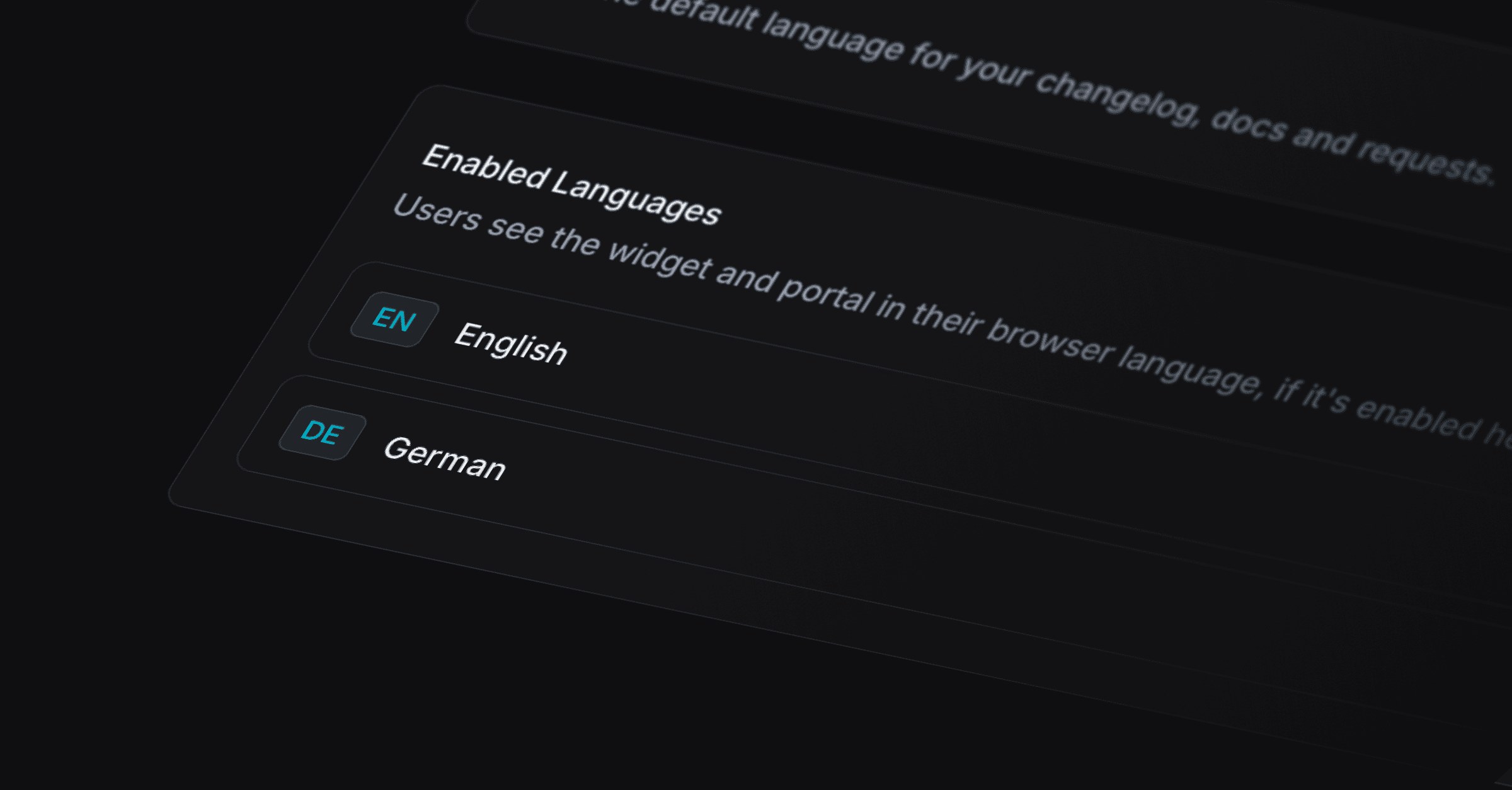
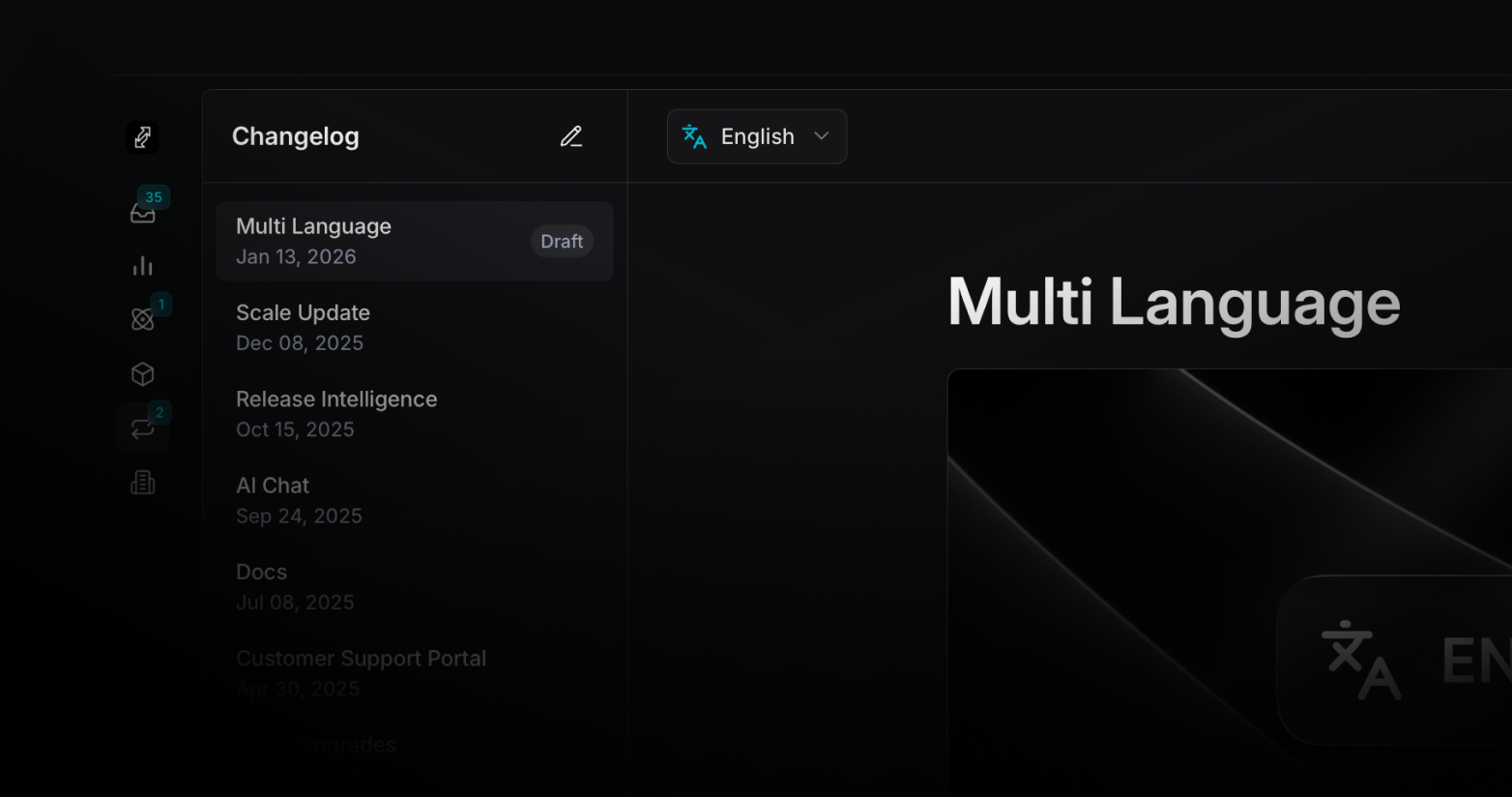
We’re happy to start the new year with a feature that helps you reach the 6.5 billion people in the world who don’t speak English. You can now translate your Help Center, Customer Requests Portal, and Widget into 47 languages. Your Portal and Widget are auto-translated, and you can add a version per language across Docs, Changelog, Projects, and Issues. Multi-language is available on the Scale Plan.
Select from 47 languages
Go to Settings → Portal → Languages and set your Default Language, which is shown to visitors by default. Click Add Language to choose from the languages you want to enable for your workspace. When a visitor opens your portal or widget, Productlane detects their browser language. If it’s enabled, they’ll see that translation. Otherwise, they’ll see your default language.
Once languages are enabled, you can translate your changelog entries by switching languages with the selector while editing to create localized release notes, add translated versions of help center articles by changing the editor language for each enabled language, and customize your AI chat welcome message and example questions per language in Settings → AI Chat.
Fixes and Improvements
Widget: Control the widget from your app with new dismiss methods and support for custom launchers so you can match your UX.
Portal: Upvotes are tied to requests rather than projects, so prioritization reflects what customers actually ask for. View in Portal → Roadmap. No setup required.
Reporting: Aggregated MRR appears in Reporting so you can combine revenue and support insights. Go to Reporting → Overview.
Widget: Added method to programmatically dismiss in-widget notifications
Widget: Allowed launchers to dismiss the widget for full open/close control
Dashboard: Added sorting across all companies for faster account reviews
Docs: Added support article explaining how to export data
Editor: Enabled smart typography (e.g., arrows) for cleaner writing
Interface: Improved URL design for Docs and Changelog to be more readable
Interface: Inverted up/down button order to match common conventions
Inbox: Removed the Close loop tab to streamline navigation
Slack: Improved Slack notifications with new formatting
Performance: Moved Docs indexing to background to keep the editor responsive
Portal: Moved upvotes from projects to requests for accurate prioritization
Reporting: Added aggregated MRR view to pair revenue with support metrics
Search: Defaulted search results to newest first for quicker triage
API: Resolved widget event inconsistencies for correct callbacks
API: Stabilized Linear team sync so members and statuses stay up to date
Authentication: Restored project access for affected team members
Authentication: Fixed email login for the customer portal
Authentication: Prevented erroneous authentication errors after reconnecting
Bug: Adjusted chat layout height to fit the viewport
Bug: Company and people details are editable again
Bug: Smoothed out thread deletion interactions
Bug: Command+K now finds people by email
Bug: Docs pages render correctly on all screen sizes
Bug: New Linear icons load and display correctly
Bug: After marking a thread done, the next item opens as expected
Bug: Multi-delete works as expected
Bug: Ethereum project icon displays correctly
Bug: Show the correct author in Slack for “Push to Productlane”
Bug: Fixed a visual artifact in charts
Bug: Tooltips display reliably on messages
Bug: Issue status changes without errors
Bug: Publishing rules for empty doc articles behave correctly
Bug: Upvote visibility is consistent across views
Bug: Recent threads list shows the correct items
Bug: Navigates to the correct next item after completion
Bug: Increased reliability of thread deletion
Dashboard: Improved empty state on Agent Performance for first-time views
Dashboard: Replaced an incorrect empty state when pending projects exist
Docs: Improved Markdown import to handle edge cases
Editor: Fixed bullet formatting in AI Chat
Editor: Improved editor stability during long sessions
Editor: Prevented project descriptions from being overwritten
Editor: Ensured image updates apply to the correct versions
General: Prevented duplicate project feedback entries
General: Handled inactive email addresses gracefully
General: Fixed issues with customer names containing apostrophes
General: Creating customers works without errors
Interface: Resized buttons so they fit in the comment editor
Interface: Removed persistent “Create customer” button after creation
Interface: Fixed inputs being clipped by the clear (x) icon
Interface: Removed deleted projects from lists
Interface: Allowed long toast messages to display fully
Interface: Applied general UI polish across views
Live Chat: Clicking a notification no longer reloads the whole page
Performance: Significantly sped up thread deletion
Performance: Widget snippet loads immediately without delay
Slack: Fixed AI Chat notifications so they post correctly to Slack
Widget: Fixed corrupted images inside the widget
Widget: Fixed video playback and sizing inside the widget
Scale Update

We’re excited to launch a major update to let you handle customer support at scale: A new sync engine with a 50ms UI, a redesign of almost every part of the application, an improved AI Help Center, Agent upgrades, and Reporting.
New Sync Engine
Since launching customer support in Productlane, many teams have moved all their customer conversations to us. They quickly had thousands of emails, live chat, and Slack messages in their workspace, and the initial load time slowed down more than we wanted.
That's why we decided to rebuild major parts of our architecture so the app can load only the data needed at the moment. It took a lot of time, but it was worth it. The backend is much more robust now, and the app is incredibly fast.
Even our largest workspaces now load in under 3-4 seconds with an avg. response time of 50ms. Big shoutout to our friends from Zero helping us implement this sync engine.
Redesign
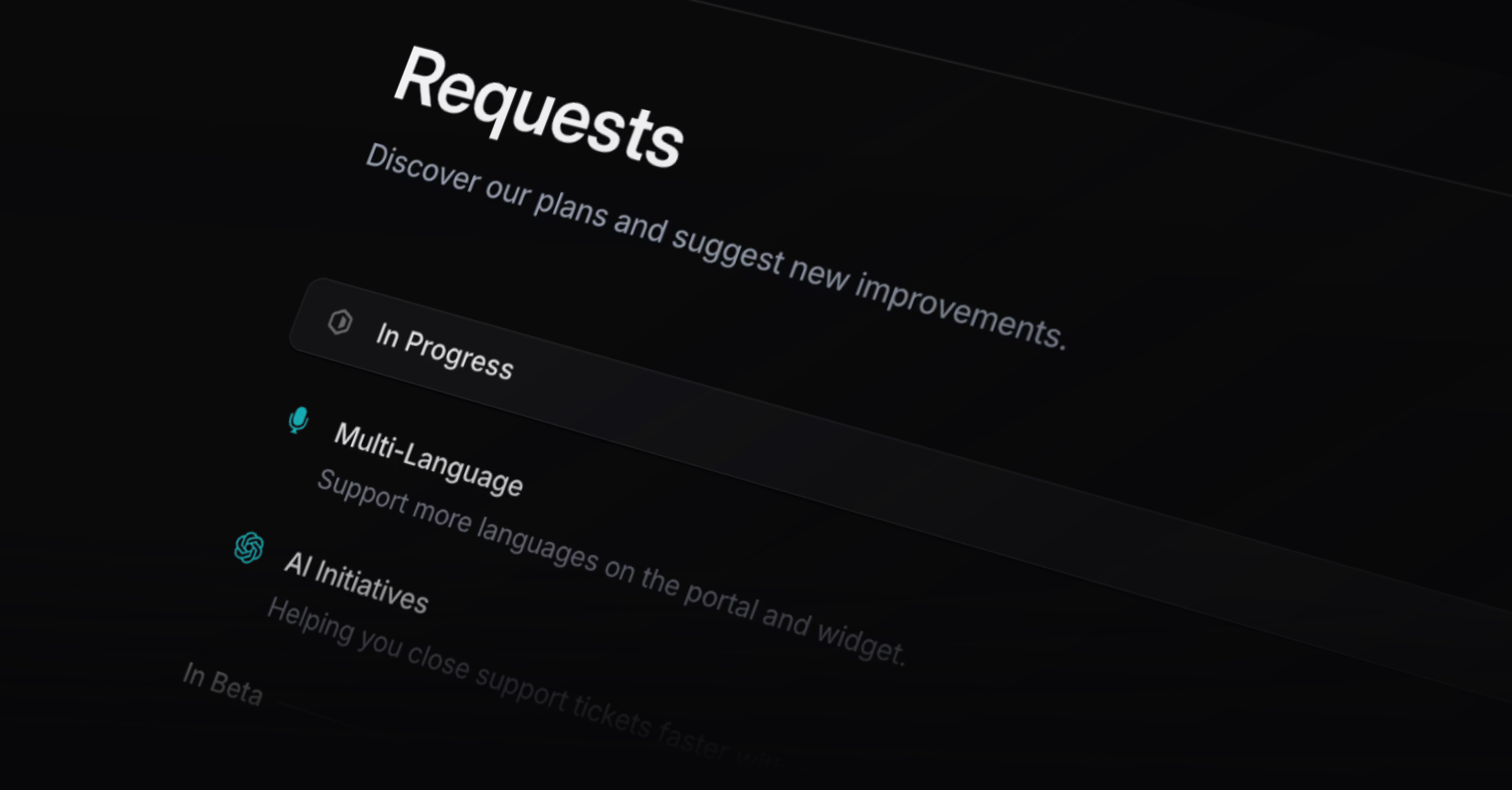
This update comes with a redesign that touches almost every part of Productlane. The inbox, help center, roadmap, support portal, and changelog are now heavily simplified, have a new look, increased contrast, and optimized typography.
Your feedback portal is now called “Requests” and is simpler to use. We replaced the form on the left that filtered existing requests while you typed with a new request button and a search to make the experience simpler.
AI Help Center
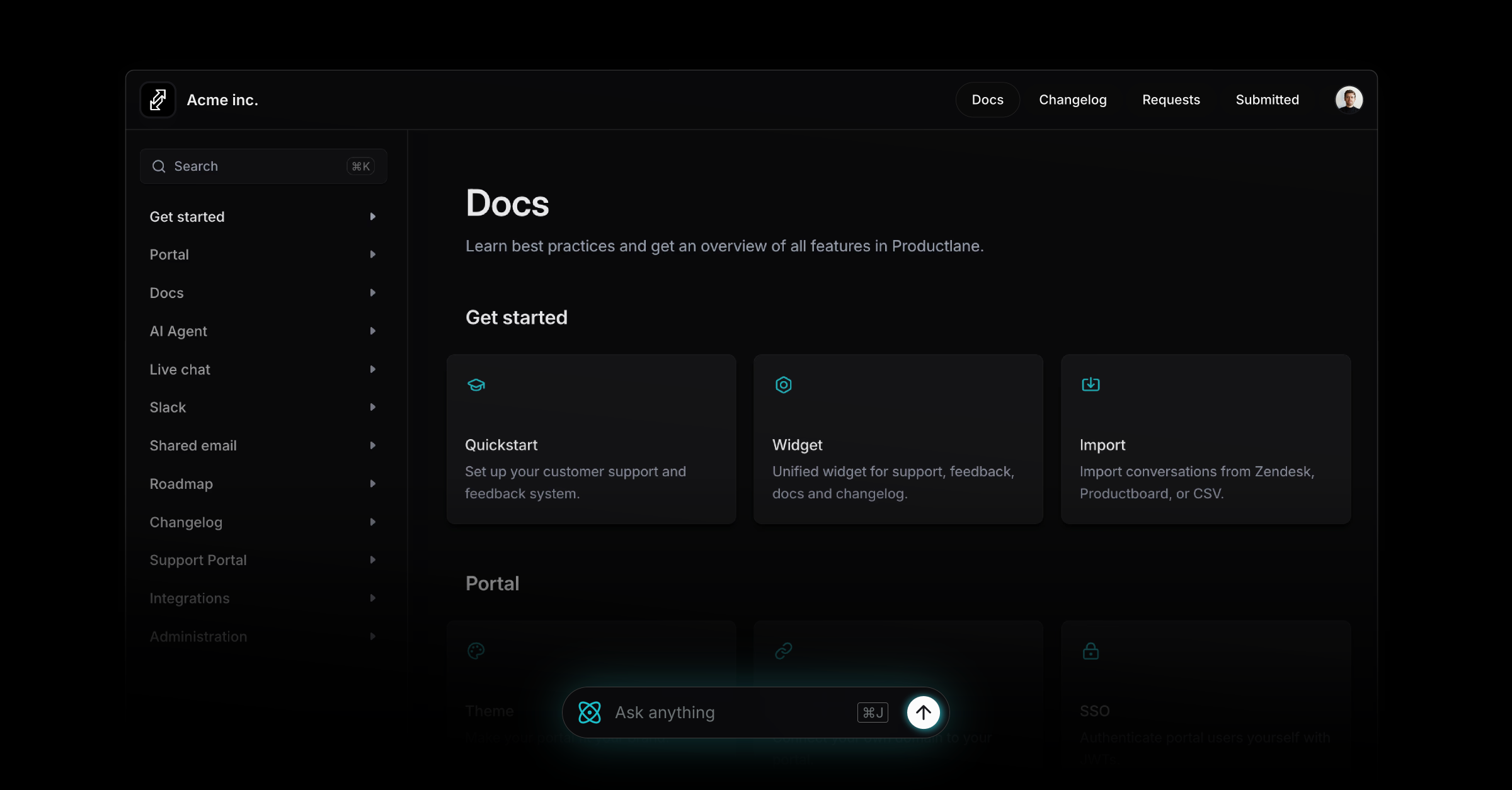
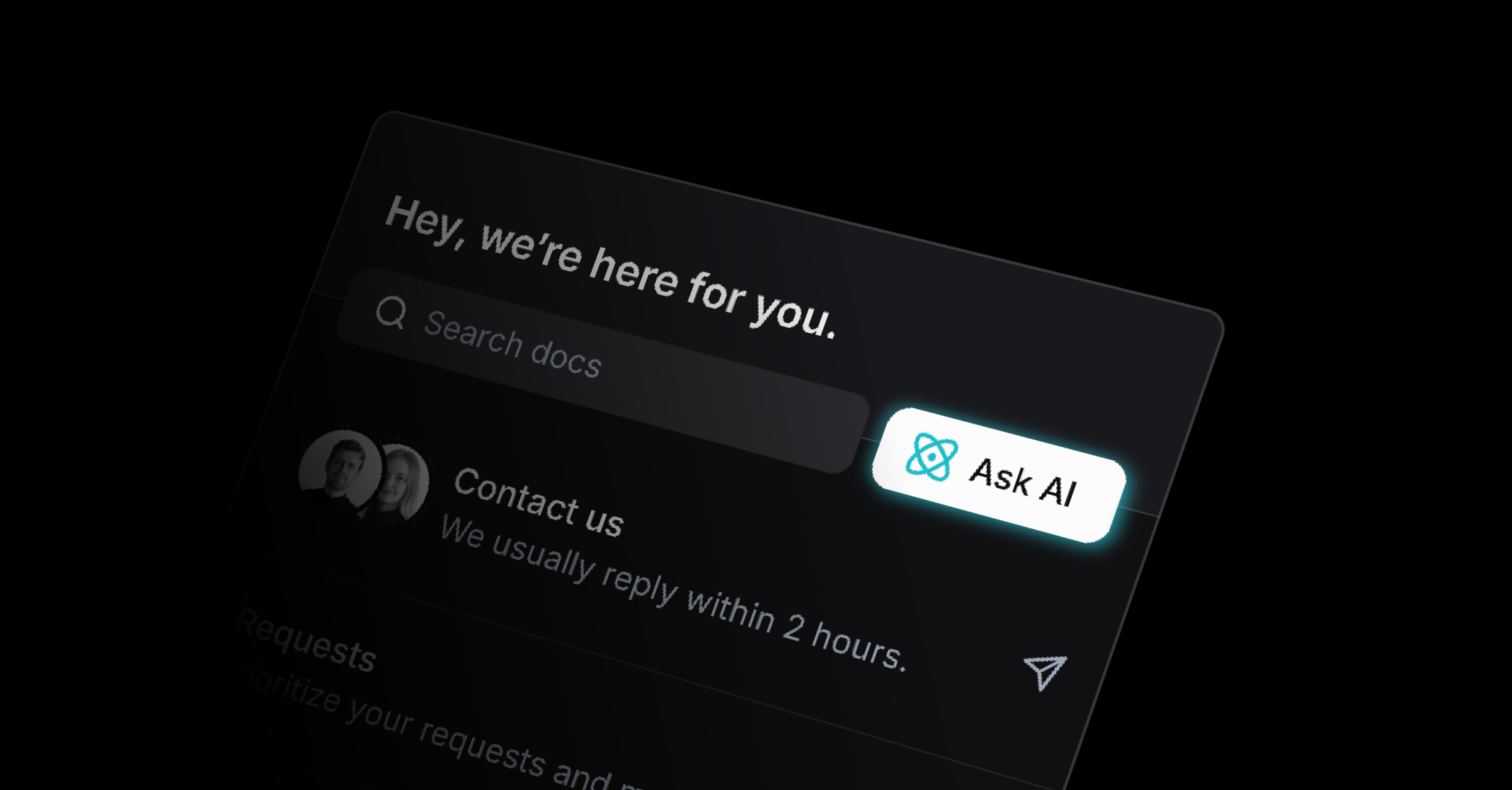
The Help Center has a refreshed design with deeper AI support. The Agent now sits at the bottom of every article, ready to answer follow-up questions immediately.
Articles inside the widget use the same AI bar, and each article includes a new button to let you copy it as Markdown for LLMs, making your content easier to index and reuse.
Reporting
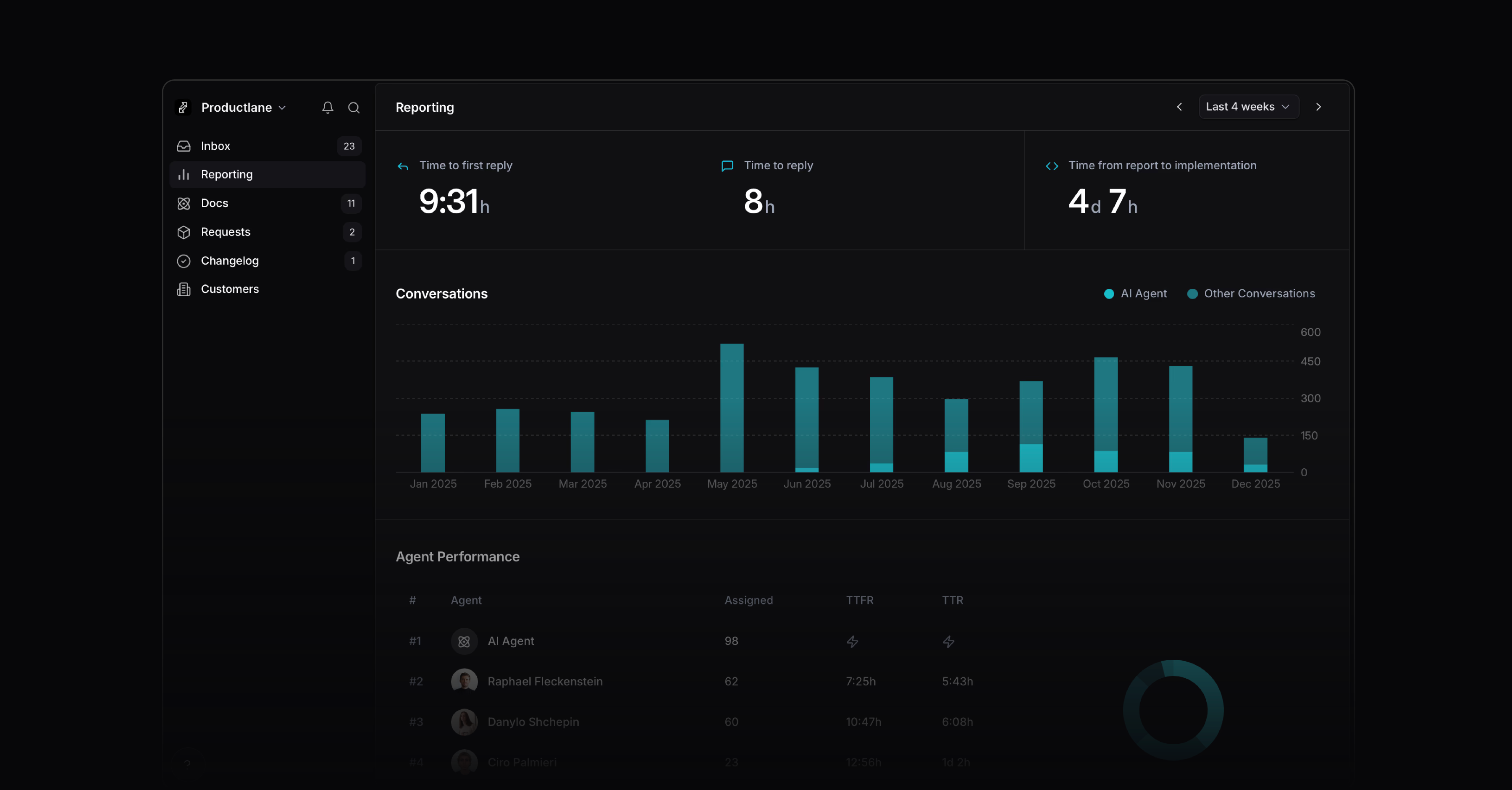
A new Reporting view helps you ensure a great customer experience as you scale your support. It gives you a clear view of your team's performance across the entire support workflow, with a focus on your AI agent's resolution rate.
It includes what was previously on your tags page and adds the most relevant customer support metrics, such as first response, time to resolution, and time from request to implementation. The agent performance shows how each teammate is doing: workload, conversation count, and response times in one view.
Improved AI Agent
We upgraded the model behind our AI Agent. It answers more accurately, resolves more cases on the first reply, and stays fast. It also handles multi-step conversations better, remembers context more reliably, and manages complex questions better.
More improvements
Linear integration: Upvotes now also create customer requests in Linear
Linear integration: Now all customer requests from Linear are synched
Docs: Embed a custom iFrame in your help center for demos and forms
API: Cancelled issues now trigger the feedback loop closing
API: Included tagging in API
SSO: Added a redirect so users land on the intended portal page after sign-in
Inbox: New inbox flow so you can triage faster with clearer states
Inbox: Hide email history under the overflow menu to reduce page noise
Interface: Added counters to the navigation for Changelog, Requests and Docs
Interface: New Empty states with more contrast and clarity
Search: Search experience improved for more relevant results
Settings: Option to disable automatic company assignment
Settings: Hide all items on roadmap if no Linear team is selected
Widget: Increase widget icon contrast for better accessibility
Fixes
Slack: Slack threads no longer show “unknown user” on profile pictures
Bug: Widget event handling stabilized to prevent missed interactions
Bug: Changelog notifications now resize with images correctly
Bug: Widget loads correctly when CORS/CORP is enforced
Bug: Slack sending stabilized across workspaces
Bug: Customer properties load and update as expected
Release Intelligence
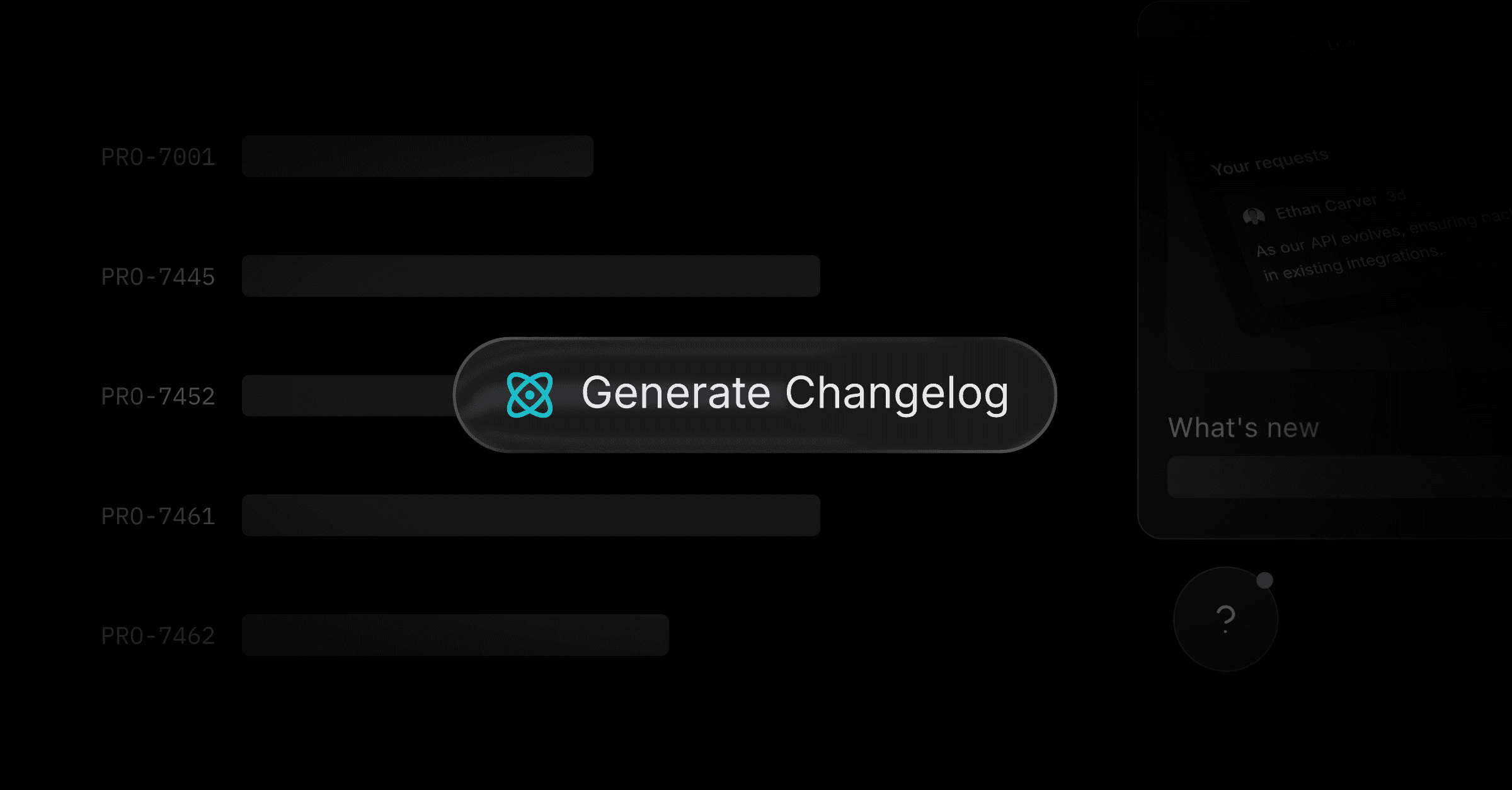
We’re excited to introduce Release Intelligence today. When you complete a project in Linear, it fetches all issues completed since your last Changelog and turns them into a draft. It generates two paragraphs for each completed project and one bullet per completed issues. It makes issue titles more human-readable and includes the product area, which is based on the Linear label.
How it works
Complete Linear project
This will trigger the creation of the Changelog.Get last Changelog date
Release Intelligence will select all issues and projects completed since then.Generate Changelog
It generates a draft based on the title and description of those issues and projects.
Redesigned Editor and cover image creator
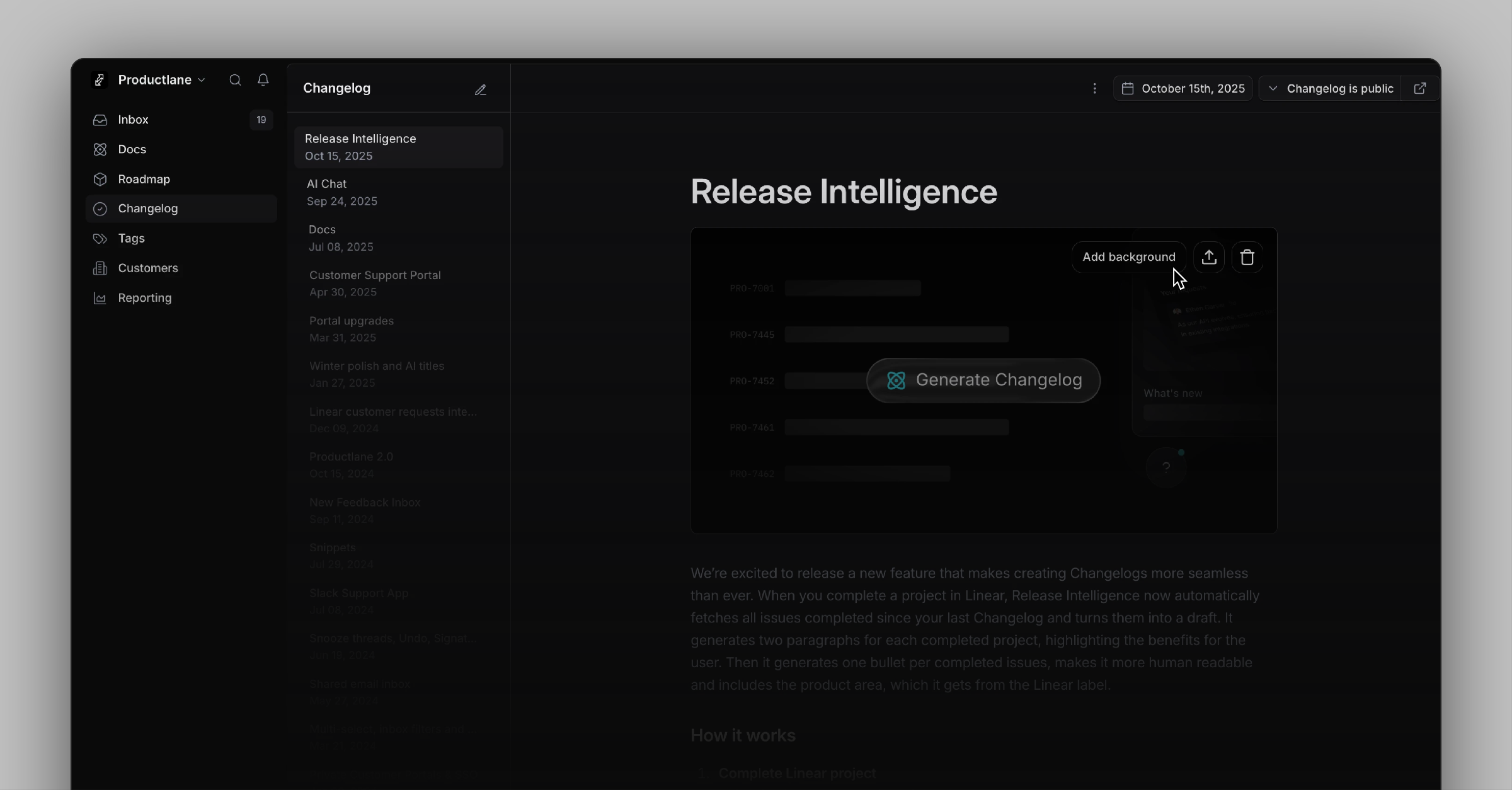
Release intelligence comes with a redesigned Changelog editor built for speed and focus. You now see generated drafts indicated in the sidebar and can navigate through your Changelogs with shortcuts like ↑↓ for moving to the next item and CMD Delete to remove drafts again. To speed up the Changelog creation, the cover image uploader now adds a shadow, border radius, and padding, so any screenshot looks great right away.
Changelog RSS Feed
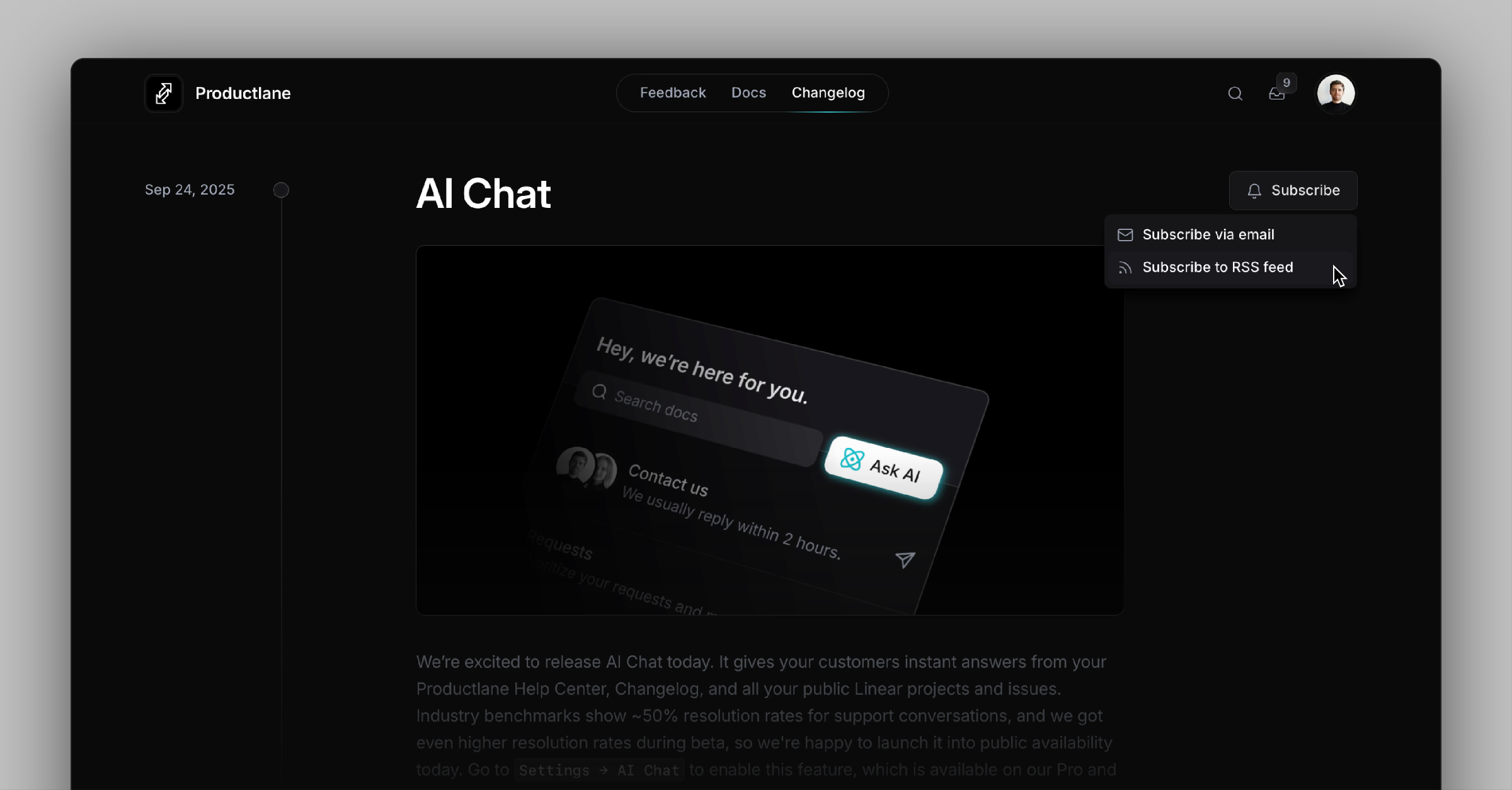
You’ll now see a new Subscribe button on your Changelog. It lets customers get your RSS feed URL or subscribe via email. By default, subscribing via email requires logging in to your portal, but you can set a custom URL instead. We recommend sending each Changelog to all customers who’ve ever signed up for your app.
Changelog Migration Assistant
Getting started is even easier with our new Migration Assistant, which lets you import Changelogs from other platforms via CSV. Go to Settings → Import / Export to migrate from existing tools within minutes.
Improvements
API: Add contact to company via API so you can automate CRM sync
Editor: Change docs links to use stable IDs so links survive renames
Editor: Add arrow‑key and Esc navigation inside docs
Feature: Add toast confirmation and an undo‑send shortcut for email replies
Live Chat: Skip generating an AI response if a user already asked the same question
Live Chat: Enable AI suggestions for Live Chat replies
Live Chat: Include the first live chat message in the notification email
Live Chat: Smooth loading animations to match AI chat behavior
General: Improve feedback triage workflow based on user input
Interface: Add a new bottom bar for quicker access to primary actions
Interface: Improve sidebar icon colors and clean up Linear settings layout
Interface: Standardize scrollbar styling across platforms
Mobile: Add a new, cleaner view for mobile devices
Fixes
Login: Clean up the invite team interface so you can add teammates without confusion
API: Show all Linear items during import so nothing is missing
Bug: Preserve the original attachment name after upload
Bug: Fix docs layout spacing on mobile for better readability
Bug: Prevent CSV imports from failing when threads are duplicated
Bug: Render email content correctly in Spark
Bug: Respect j/k navigation without opening thread snippets unexpectedly
Bug: Ensure first email on a new thread includes attachments
Bug: Allow CSV attachments to be downloaded from threads
Bug: Redirect to the correct page after logging out from a doc article
Dashboard: Fix tag count discrepancies so numbers match filters
Database: Hide or correct customer needs that have no linked customer
Interface: Prevent jumpy scrolling in comment boxes
Interface: Show the correct Twitter preview (Open Graph) image
Interface: Fix clipped input fields in dialog forms
Interface: Align avatars and text in live chat messages
Interface: Left‑align components and allow them to grow horizontally as intended
Interface: Fix the input field on the support portal
Notifications: Render the full Email DNS status label without truncation
Performance: Apply Widget response time settings without delay
Slack: Deliver attachments even when a Slack message body is empty
AI Chat
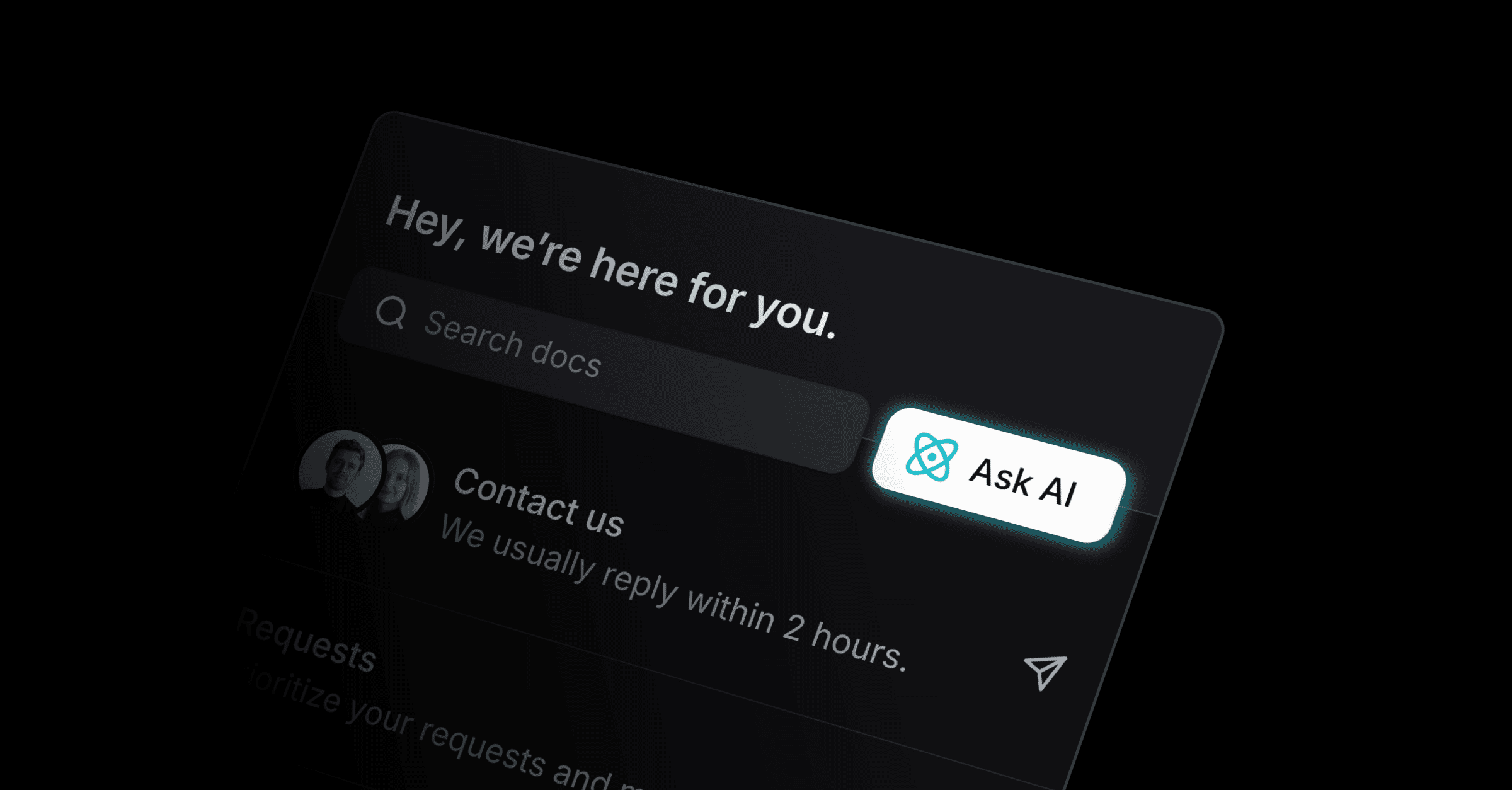
We’re excited to release AI Chat today. It gives your customers instant answers from your Productlane Help Center, Changelog, and all your public Linear projects and issues. Industry benchmarks show ~50% resolution rates for support conversations, and we got even higher resolution rates during beta, so we're happy to launch it into public availability today. Go toSettings → AI Chat to enable this feature, which is available on our Pro and Scale plans.
Built to work perfectly with Linear
Especially in B2B, most customer requests are product-related: Bug reports or feature requests that belong into Linear. AI Chat connects seamlessly with Linear Issues, public projects on your Productlane Portal, and completed items from your Changelog. This gives customers one place to ask about future, current, and past features. If they ask how to set up a feature that does not exist yet, but is on the roadmap, they now know about this.
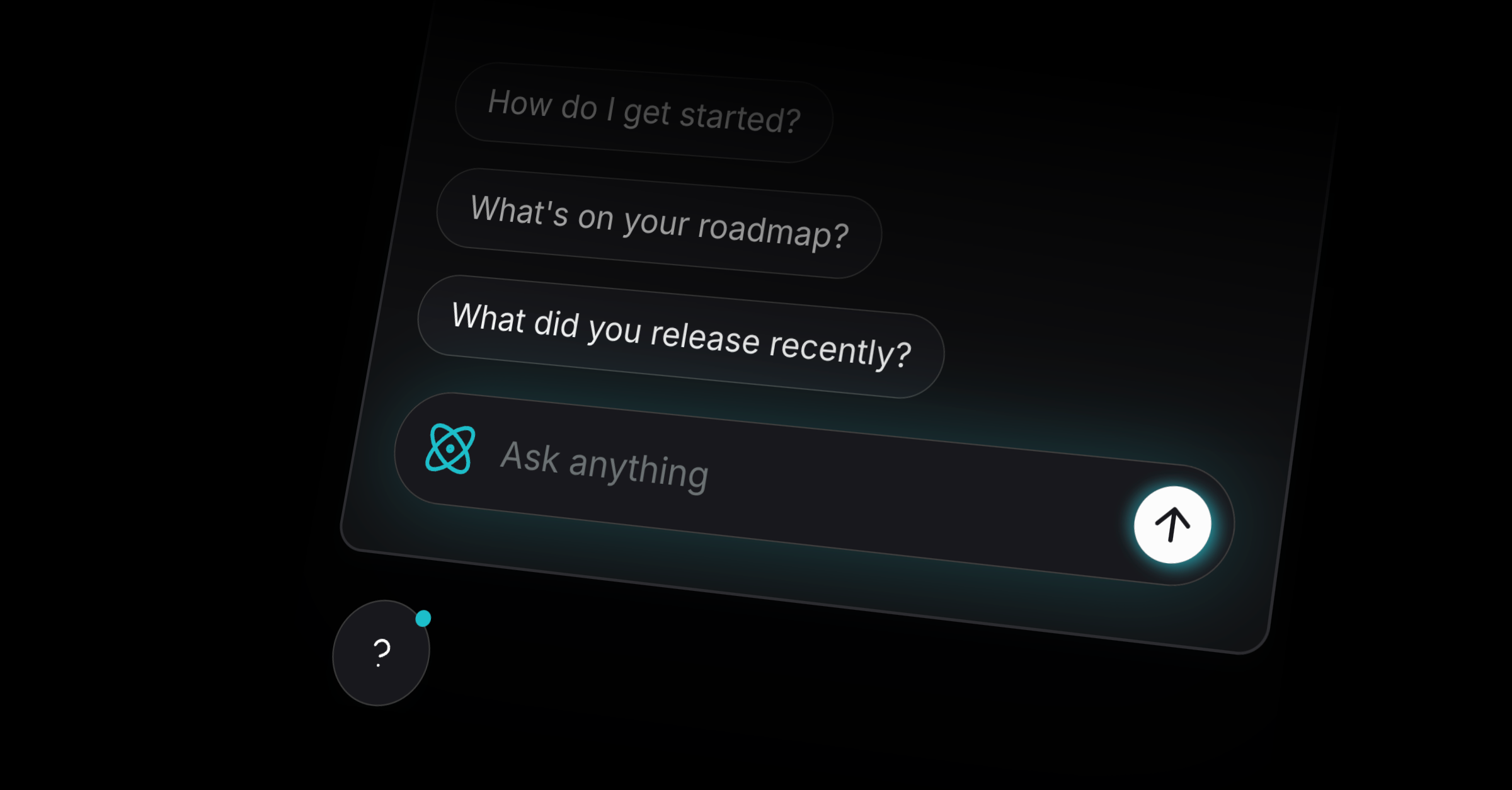
Integrated into your widget
AI Chat can be embedded as a widget alongside your Help Center, Changelog, and Live Chat. Answers that include citations from your Help Center open directly in your widget.
Clearly separating humans and AI
AI Chat is kept distinct from your human support flow, so customers always know who they’re talking to. This avoids the “AI wall” many tools create and ensures urgent bugs and requests reach your team directly.
Weekly AI Chat summaries
Every week, Productlane gives you a summary of all asked questions and their responses. So you can identify missing doc articles and improve coverage instantly. Just open the right doc article with CMD + K to update it and improve the AI responses in the future.
Live Chat Public Beta
We have more great news: Live Chat is now in public beta. After activating it, your Widget contact form will turn into a chat. You can activate it without needing to change anything with your embedded widget script here in Settings → Live chat.
Improvements
Portal: Clicking on items is now smoother and opens on the right
Linear: Added revenue formatting option (annual/monthly)
Docs: Improved visualization for code blocks
Docs: Improved search performance and caching
Docs: SEO optimizations on main pages
Docs: Improved contrast and typography
Widget: Font size increased for readability
Widget: Menu spacing and animations improved
Settings: Added “How it works” button to all settings pages
Comments: Improved design and consistency
Roadmap: Responsiveness improvements
Settings: Tooltips added to pricing page; invoice button added to plans page
Inbox: Sorting and section structure improved
Threads: Improved creation events and title limits
Email: Improved the unsubscribe button
General: Multiple UI updates across portal, widget, and docs
General: Viewers can now see members
Fixes
Docs: Resolved overflow in titles
Docs: Fixed feedback input focus on mobile
Docs: Fixed line height and spacing issues
Docs: Fixed border radius in widget search
Docs: Fixed dark mode for error pages
Docs: Fixed group auto-open behavior after reload
Changelog: Fixed spacing, hover states, and small browser width bugs
Changelog: Added a missing close button on notifications
Widget: Fixed dark mode issues on Safari
Widget: Fixed offset and spacing when docs are disabled
Widget: Fixed close button behavior on mobile
Widget: Fixed UI spacing and auto-save for settings
Widget: Fixed small black square artifact
Widget: Fixed docs menu animation
Inbox: Fixed issues not showing when all were done
Inbox: Improved comment and message handling
Roadmap: Fixed cutoff content and small-screen bugs
Portal: Fixed modal text and sign-up issues
Portal: Fixed navigation width and responsiveness
Portal: Fixed caching and loading issues
Threads: Fixed mobile issues, alignment, and message capture
Threads: Fixed duplication from missing Slack user IDs
UI: Fixed numerous spacing, alignment, and border radius issues
UI: Fixed color, icon, and contrast inconsistencies
UI: Fixed scrollbar, overlap, and shadow issues
UI: Fixed broken forms and misaligned inputs
Emails: Fixed quote differentiation and font stripping
General: Fixed local storage limit for files
General: Fixed broken attachments and file loading
General: Fixed session token handling
General: Fixed data export formatting
General: Fixed MRR rounding